

Do These 8 Ransomware Prevention Tasks This Week for Small Businesses
If you do only three things this week to cut your ransomware risk, do these: turn on phishing-resistant multi-factor authentication (MFA) on every important account, build an isolated backup you have actually tested, and patch your servers and endpoints. Prevention works in layers, so treat these as the starting priorities, not the finish line. The full 7-day checklist and the emergency response steps follow below.
Key takeaways
- Enabling phishing-resistant multi-factor authentication on email and cloud admin accounts is crucial to block the most common entry points for attackers.
- Implementing an isolated backup with regular testing and ensuring one copy is offline or immutable significantly reduces recovery time and prevents ransom payments.
- Applying critical security patches monthly to all servers, endpoints, and network devices minimizes vulnerabilities that ransomware exploits.
- Training staff on phishing, safe software practices, and physical device hygiene helps prevent infection through social engineering and infected drives.
- Monitoring for suspicious activity such as failed logins, new admin accounts, or abnormal file activity enables early detection before ransomware spreads.
Table of Contents
- Ransomware prevention small business checklist: the first 7 days
- Building a ransomware backup strategy that actually works
- How do I roll out MFA and least privilege access?
- What's a realistic patching schedule for a small business?
- Stopping phishing before it reaches your staff
- Securing your file servers, NAS and exposed services
- What should I monitor to catch ransomware early?
- What to do in the first 24 to 72 hours after an attack
- Training your team beyond phishing awareness
- Should a small business use endpoint detection and response (EDR)?
- Do you need a password policy beyond "make it complex"?
- Managing vendor access and third-party risk
- PC Scientist's perspective: what we see when businesses call too late
- Get your ransomware defences checked properly
- Sources
- FAQ
Ransomware prevention small business checklist: the first 7 days
Prevention against ransomware works best as a sequence, not a scramble. The Australian Cyber Security Centre (ACSC) points to multi-factor authentication, patching, independent backups, access controls and monitoring as the core mitigations that stop most attacks before they start. Here's the order that actually gets results in a week, without needing a dedicated security team.
- Turn on phishing-resistant MFA for email and cloud admin accounts.
- Create an isolated backup copy and confirm you can restore a file from it.
- Apply critical security updates to servers, NAS devices and every endpoint.
- Switch on endpoint protection and controlled folder access on Windows machines.
- Remove standing admin rights from everyday user accounts and set up dedicated admin logins.
- Audit which services face the internet (RDP, file shares) and close or VPN-protect anything exposed.
- Run a 20-minute phishing briefing with staff and set up a clear "report this" channel.
- Print a one-page backup and response register with an offline contact list, in case your network goes down.
Pro Tip: Assign each task above to a specific person with a deadline, even if that person is you. Tasks left as "someone should do this eventually" rarely survive past Wednesday.
None of this requires a big budget. It requires someone deciding these eight things happen this week, not next quarter.
Building a ransomware backup strategy that actually works
Most small businesses believe they have backups. Far fewer have backups they could actually restore from during an attack, which is the only kind that counts. The gap between "we back up" and "we can recover" is where ransomware payments come from.
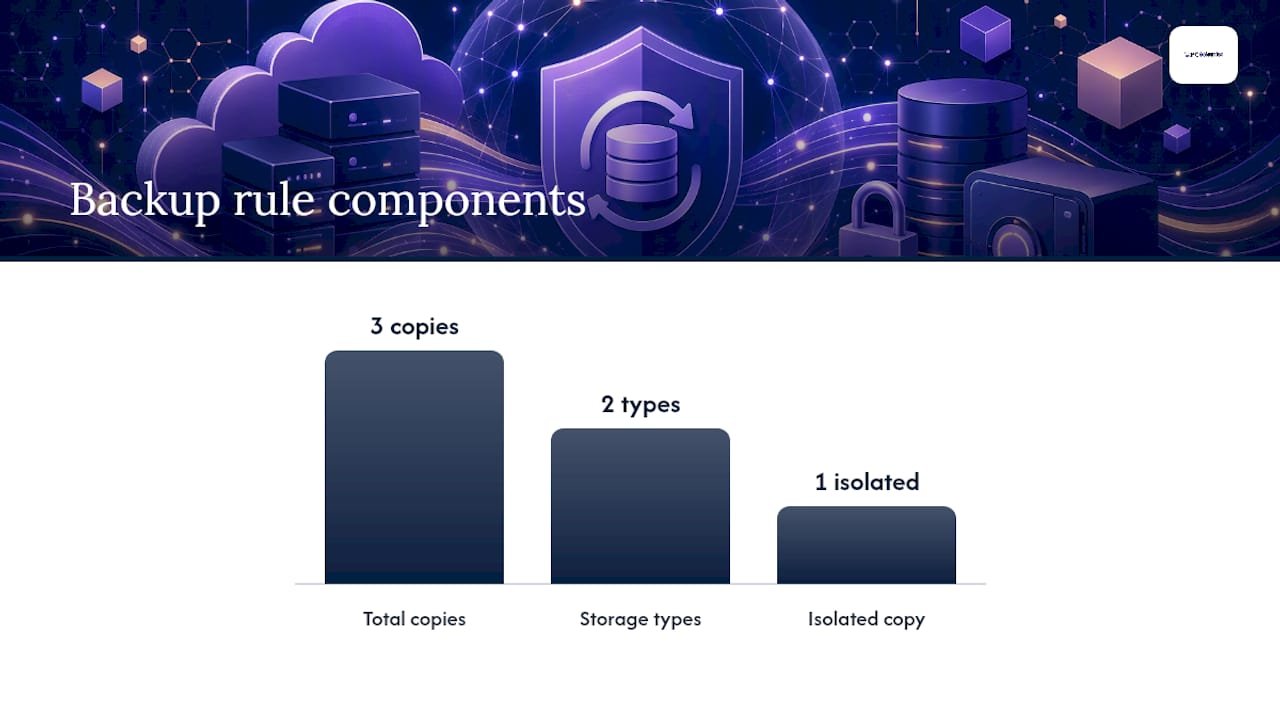
The pattern worth adopting is a version of 3-2-1: three copies of your data, on two different types of storage, with one copy kept offline or immutable. For a small business, that typically looks like a working copy on your server, a synced copy in the cloud, and a third copy on a rotated external drive or an immutable cloud tier that ransomware cannot reach or rewrite.
That third copy matters more than most owners realise. A cloud productivity subscription such as Microsoft 365 is not a substitute for a dedicated backup, because file sync happily replicates encrypted, ransomed files right along with the good ones, according to ACSC's technical guidance on regular backups. If your backup is permanently connected to the same network as your production files, it is exposed to the same attack.
- Keep at least one backup copy disconnected from your live network, or use storage with immutability settings that block deletion or encryption for a set period.
- Test a real restore every month, not just a backup job that reports "success." A successful backup job and a usable restore are two different claims.
- Document what is backed up, where the isolated copy lives, and who holds access, as the ACSC's ransomware recovery guidance recommends.
- During an actual incident, never reconnect a backup drive to a network you suspect is compromised until it has been checked on a clean, isolated machine.
Pro Tip: If nobody in your business has ever actually restored a file from your backup, you don't have a backup strategy. You have a hope.
A managed backup service through an IT provider typically costs less than most owners expect, and it removes the burden of remembering to rotate drives or check restore logs yourself.
How do I roll out MFA and least privilege access?
Passwords alone stop almost nothing now. Attackers buy leaked credentials in bulk, so the accounts that matter need a second layer, and that layer needs to be the right kind.
Prioritise MFA in this order: email accounts first (they're the recovery path to everything else), then cloud admin logins, then remote access tools, then backup system logins. The ACSC lists MFA as one of its primary mitigations precisely because it blocks the most common entry point: a stolen password used from an unfamiliar device.
- Choose phishing-resistant MFA where it's available, such as passkeys or a hardware security key, over SMS codes that can be intercepted.
- Roll out a password manager business-wide so staff stop reusing passwords across personal and work accounts.
- Migrate everyone to long, unique passphrases rather than complex-but-memorable passwords that get written on sticky notes.
- Create separate admin accounts distinct from everyday logins, so a compromised staff account can't also install software or change permissions.
- Apply least privilege: give staff access to only the files and systems their role needs, nothing broader "just in case."
An owner-run business with five staff and a bookkeeper can complete this whole rollout in an afternoon. The payoff lasts years.
What's a realistic patching schedule for a small business?
Unpatched software is still one of the easiest doors into a network, and attackers scan for it automatically. You don't need a formal change management process, but you do need a routine.
Prioritise in this order: internet-facing systems first (routers, firewalls, VPN gateways), then servers and NAS devices, then endpoints, then business applications. ASD's factsheet on business mitigations flags replacing legacy, unsupported systems as a higher-impact move than most owners assume, because old firmware often can't be patched at all.
- Turn on automatic updates for Windows and macOS endpoints; there's rarely a good reason to delay these.
- Schedule server and NAS updates for a fixed time each month, tested on one machine before wider rollout if you run anything business critical.
- Replace devices that no longer receive security updates. If replacement isn't possible immediately, isolate that device on its own network segment.
- Check router and firewall firmware quarterly; these are often forgotten entirely because nobody logs into them once they're working.
If keeping this schedule is competing with running the business, a managed patching arrangement through an IT provider takes it off your plate entirely.
Stopping phishing before it reaches your staff
Phishing remains the most common way ransomware gets a foothold, and it works because it targets people, not software. The fix is two layers: technical filtering that stops the obvious attempts, and training that helps staff catch what filtering misses.
On the technical side, enable spam filtering with attachment blocking for executable file types, add an external sender banner so staff know when an email originates outside the business, and configure DKIM, SPF and DMARC on your domain to stop attackers spoofing your own email address.
- Run a 15 to 30 minute meeting covering three real examples of phishing your business could plausibly receive, not generic templates.
- Teach one script: hover over the link, check the sender's actual address, and never enter credentials from an emailed link.
- Set up a single, known reporting channel (a forward-to address or a chat channel) and thank people who report false alarms just as warmly as real ones.
- Run a simple simulated phishing test quarterly and track how many people report versus click, not just click rate alone.
Real examples make this land far better than warnings. Our guide to phishing email examples shows the actual patterns attackers use, which is more convincing to staff than any policy document.
Pro Tip: If someone reports a suspicious email, respond within the hour. A slow response teaches people that reporting doesn't matter, and next time they won't bother.
Once your team outgrows a quarterly DIY test, a managed phishing-awareness provider can run it on a schedule and track trends over time.
Securing your file servers, NAS and exposed services
File servers and NAS boxes are exactly where ransomware does its damage, encrypting years of documents in minutes. They deserve their own hardening pass, separate from general endpoint security.
Start with an audit of anything reachable from the internet. Remote Desktop Protocol (RDP) left open to the world is one of the most common entry points in small business breaches, and the fix is usually simple: close it, or put it behind a VPN with MFA enabled.
- Update NAS and server firmware as soon as vendors release patches; these devices are frequently skipped because they "just work" in the background.
- Create a dedicated admin account for NAS management rather than using a shared or default login.
- Set alerts for unusually high disk read/write activity, which is often the first visible sign of mass file encryption in progress.
- Segment your network so a compromised staff laptop can't reach your file server directly without crossing a firewall rule.
- Consider whether migrating file storage to a managed cloud platform removes some of this hardening burden entirely, since patching and access control shift to the provider.
Businesses running their own NAS for backups should also read our practical guide to NAS data recovery, which covers what to check before assuming a device or its data is unrecoverable.
What should I monitor to catch ransomware early?
You don't need an enterprise security operations centre to notice ransomware before it spreads. You need a short list of signals and someone who actually checks them.
Watch for: repeated failed logins followed by a success, new admin accounts nobody remembers creating, a sudden spike in file rename or encryption activity, and backup jobs that quietly start failing. ASD's guidance on higher-impact mitigations highlights event logging as a control worth having before you ever need a full security information and event management (SIEM) platform.
- Use the logging already built into Windows Server, your firewall and your cloud admin console before buying anything new.
- Assign one person to glance at alerts weekly, and set a rule for what counts as urgent enough to act on immediately.
- Avoid drowning that person in noise. Fewer, well-tuned alerts beat hundreds of ignored ones.
- Treat mass file renaming, a sudden ransom note file, or backup failures across multiple systems at once as an immediate incident, not a ticket for next week.
What to do in the first 24 to 72 hours after an attack
The first hour after you spot ransomware decides how bad the recovery will be. Panic leads to mistakes; a written sequence prevents most of them.
- Isolate affected devices immediately: disconnect from the network (unplug the cable or disable Wi-Fi) rather than shutting down, unless your IT responder instructs otherwise.
- Photograph or record the ransom note and any file extensions changed, then disconnect other devices on the same network as a precaution.
- Change passwords for critical accounts from a clean, unaffected device, not the infected one.
- Check backups only from an isolated, uninfected machine. Never plug a backup drive into a device you suspect is compromised.
- Wipe and reinstall the operating system on affected machines before restoring from a verified clean backup. Restoring onto an infected system just reintroduces the problem.
- Report the incident through ReportCyber and contact police, plus your insurer and legal counsel if customer or staff data may be affected.
This sequence follows ACSC's ransomware emergency response guidance closely, and it's worth having printed, not just saved to a computer you may not be able to access.
On reporting obligations: if you have reasonable grounds to believe an eligible data breach occurred, involving personal information likely to cause serious harm, you must promptly notify affected individuals and the Office of the Australian Information Commissioner (OAIC) under the Notifiable Data Breaches (NDB) scheme. Some small businesses fall under exemptions, but exceptions apply, particularly if you hold health records or handle data as a contractor, so check your obligations rather than assuming you're exempt. The OAIC's quick reference guide walks through assessment steps if you're unsure whether a breach meets the threshold.
Pro Tip: Keep a printed offline contact list with your IT responder's number, your insurer, and legal counsel. If ransomware hits your network, your usual contacts list is probably encrypted too.
Training your team beyond phishing awareness
Phishing training gets most of the attention, but ransomware also arrives through infected USB drives, compromised software downloads, and staff clicking "allow" on a permission prompt they didn't read. A well-rounded training program covers all of it.
Run a short quarterly session covering safe file handling (never open macros in an unexpected document), safe software installation (only from approved sources, never from a random pop-up), and what "this looks unusual" means for your specific business. A bookkeeper spotting an odd invoice request is doing threat detection just as much as someone catching a phishing email.
Cover physical device hygiene too. USB drives from unknown sources, personal devices plugged into work machines, and public Wi-Fi use with work laptops all create risk that has nothing to do with email. Staff often don't connect these dots unless someone spells it out plainly.
Make the training role-specific where you can. Your bookkeeper needs different examples than your warehouse staff or your sales team, because the attacks that reach them differ too. A generic "cybersecurity 101" session tends to be forgotten within a week; a session built around the actual software your team uses tends to stick.
Finally, build a culture where reporting something odd is normal, not embarrassing. The businesses that catch ransomware early are usually the ones where a staff member felt comfortable saying "this looks weird" within minutes of noticing, rather than sitting on it for a day out of worry about looking foolish.
Should a small business use endpoint detection and response (EDR)?
Traditional antivirus catches known threats by matching signatures. Endpoint detection and response (EDR) tools go further, watching behaviour across your devices for the kind of pattern ransomware actually produces: rapid file renaming, unusual process activity, or a program trying to disable your backups.
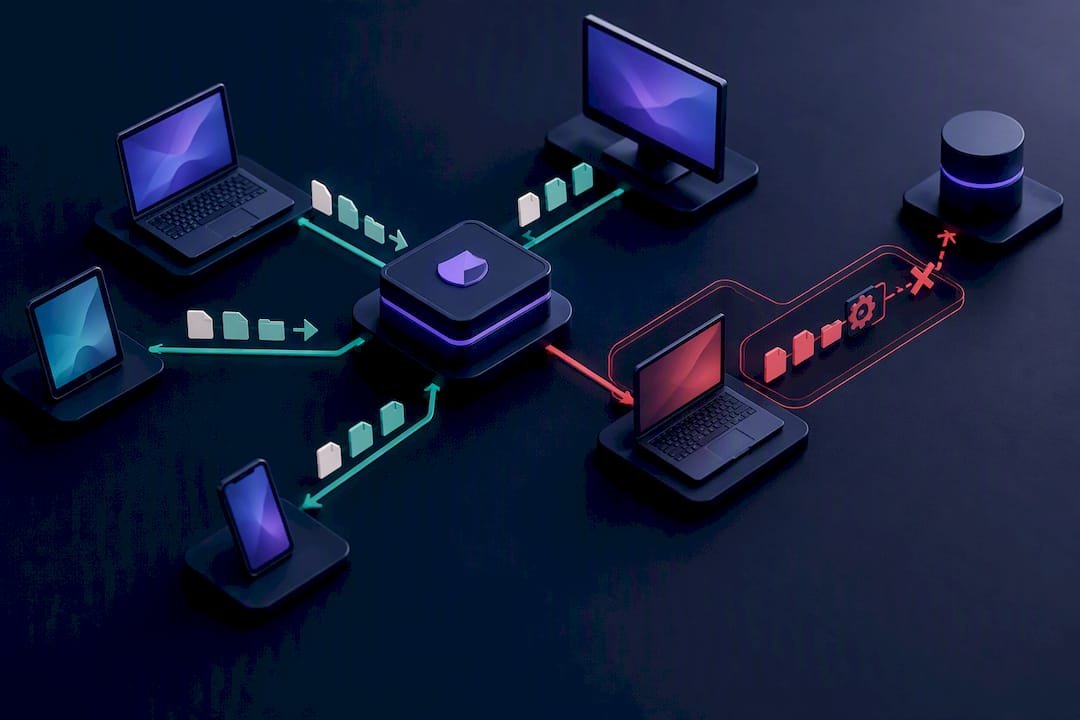
Treating antivirus as one layer among several, not a complete defence, is the right mental model. Commonwealth Bank's guidance on protecting a business against ransomware frames the effective approach as stacked: MFA, updates, access controls and isolated backups all working together, with endpoint tools as one part of that stack rather than the whole solution.
For a business running ten or more endpoints, EDR is usually worth the cost. It can flag and often automatically contain a ransomware process before it spreads across your network, buying time that a signature-based antivirus tool simply doesn't have. For a five person office running mostly cloud applications, a lighter combination of modern antivirus with controlled folder access enabled on Windows may be proportionate, provided your backup strategy is solid regardless.
The deciding factor isn't headcount alone. It's how much would be lost if your file server were encrypted tomorrow. If the answer is "everything, and we'd be down for days," EDR earns its cost quickly. If your critical data already lives in well-backed-up cloud platforms, the calculation shifts.
Do you need a password policy beyond "make it complex"?
Complexity rules that force staff into "Password1!" style patterns don't stop attackers. Length and uniqueness do far more work than special characters ever will.
Set a policy of long passphrases, at least four random words strung together, rather than short complex strings that people write down or reuse everywhere. Pair this with a business-wide password manager so staff never need to remember dozens of unique logins. A password manager also flags reused or breached passwords automatically, which is something no policy document alone can do.
Ban password reuse across personal and work accounts explicitly, since a breach on a staff member's personal shopping account can hand attackers the same password they use for your email system. Set expiry only where it's genuinely warranted, since forced frequent changes tend to push people toward weaker, more predictable passwords rather than stronger ones.
Review shared logins too. Shared accounts for point-of-sale systems or social media are common in small business, and they make it impossible to know who did what if something goes wrong. Where a shared login is unavoidable, at minimum add MFA and change it whenever someone with access leaves the business.
Managing vendor access and third-party risk
Every supplier, contractor or software vendor with access to your systems is a potential entry point you don't fully control. Ransomware has repeatedly spread through trusted third parties: a compromised accounting firm, a managed print service with remote access, or a marketing contractor holding admin rights they no longer need.
Start by listing every third party with any kind of system access, remote support tools, shared drives, API integrations, and note exactly what they can reach. Many small businesses discover during this exercise that a bookkeeper from three years ago still has active remote access nobody revoked.
Apply the same least privilege principle to vendors as to staff: grant access to only what a job requires, for only as long as it's needed, and remove it the moment the engagement ends. Ask software vendors directly what security practices they follow before signing anything, particularly around data storage and their own breach history. If a vendor can't answer plainly, treat that as useful information in itself.
Where a vendor handles sensitive documents, especially anything touching health or personal records, formal data handling obligations may apply. Guidance like the 90 day compliance plan for secure document sharing outlines practical steps for tightening how sensitive files move between organisations, which is worth reviewing if your business regularly exchanges records with contractors or partners.
PC Scientist's perspective: what we see when businesses call too late
The pattern repeats often enough to be predictable. A retail client assumed their cloud file sync was a backup, until ransomware encrypted the synced copy too. A trades business had RDP open to the internet for "convenience," discovered only after the fact. A professional office had backups, but nobody had tested a restore in over a year, and the drive failed silently months earlier.
Remediation after an incident typically runs a few days for containment and clean reinstalls, then longer for full data restoration depending on volume. Proactive assessments move faster, usually a single visit to audit accounts, backups and exposed services. Before booking either, have your account list, backup locations and any recent unusual activity noted down. It saves time and gets you protected sooner.
- PC Scientist
Get your ransomware defences checked properly
PC Scientist is the practical alternative to guessing whether your current setup would actually survive a ransomware attempt. Where this article covers what to check, our Cybersecurity Scientist service does the checking for you: a genuine review of your MFA setup, backup isolation, patching gaps and exposed services, with clear findings and no jargon.

If your backups already need attention, Data Recovery Scientist handles both recovery from a failed drive and setting up a backup strategy that would actually survive an attack. For ongoing peace of mind rather than a one-off check, Business IT Support NSW covers patching, monitoring and backups as a managed service, so this list doesn't fall to the bottom of your to-do pile again. And if something has already gone wrong, call an IT support provider directly. They may respond onsite and remotely across your area, starting with a clear assessment of what happened and what to do next, in plain language, with pricing you understand upfront.
Sources
Recommended
- Business Cybersecurity NSW | After a Scare
- Your new PC setup checklist: eight things to do first
- Business Network & Wi-Fi Assessment NSW
- Business Email & Microsoft 365 NSW
Frequently Asked Questions
Straight answers about Do These 8 Ransomware Prevention Tasks This Week for Small Businesses - without jargon or pressure. Call 0493 563 381 for advice, or get help below.
Want the quickest answer? 0493 563 381 for free advice.
No single control stops ransomware on its own. The strongest defence is a stacked approach combining phishing-resistant MFA, isolated and tested backups, prompt patching and restricted admin access, exactly what the ACSC lists as its primary mitigations.
Start with the accounts attackers target most: enable MFA on email and admin logins, keep servers and endpoints patched, and maintain a backup copy that's isolated from your live network. A managed business cybersecurity review can confirm all three are actually working, not just assumed to be.
Beyond the ransom demand itself, risks include days of downtime, permanent data loss if backups fail, and potential notification obligations under the NDB scheme if personal information is affected. The average self-reported cost for small businesses reached $56,600 in 2024-25, a 14% rise on the previous year.
Most security guidance describes ransomware as unfolding through initial access, execution, privilege escalation, lateral movement across the network, data exfiltration, encryption, and finally the ransom demand. Interrupting any single stage, particularly the early access and lateral movement phases through MFA and network segmentation, can stop the attack before encryption ever happens.
There's no fixed universal deadline in the legislation itself, but once an entity has reasonable grounds to believe an eligible data breach occurred, it must notify affected individuals and the OAIC promptly. Some small businesses are exempt from the NDB scheme, but exceptions apply, so check your specific obligations rather than assuming exemption.
Cybersecurity across NSW
Still stuck on ransomware prevention?
If the device still does not feel safe, that is okay. Get help in your area and we will take it from here.
Start here
Get cybersecurity help
Optional Need a Sydney city or region?
Choose a side of Sydney
These are Sydney cities and regions, such as the Northern Beaches or Inner West. First tap a side of Sydney. Then open the city or region that covers you.
C Sydney City / Inner 3 areas
N Northern Sydney 6 areas
NW North-West / Central Sydney 3 areas
W Western Sydney 1 area
SW South-West Sydney 3 areas
S Southern Sydney 2 areas
Optional Find your suburb
Type a suburb from our listed coverage. This opens the matching city or region page for this topic. Listed suburb pages are general technology services, not this specialist page.
If your suburb is not listed, use the city or region list above, or call 0493 563 381.
Disclaimer
The information in this article is provided for general educational and informational purposes only. While PC Scientist strives to keep all content accurate and up to date, technology issues can vary depending on your device, software, network configuration, and individual circumstances. Always back up important data before attempting repairs or system changes. If you are unsure or the issue cannot be resolved safely, contact PC Scientist today for professional onsite or remote IT support. PC Scientist is not liable for any loss of data, damage, or other issues resulting from the use of the information provided in this article.

