

PoE Switch for CCTV: How to Choose the Right One
A PoE switch sends power and video data to your IP cameras down a single network cable, so each camera needs no power point nearby. Pick one by counting your cameras, adding spare ports, and checking that the switch's total power budget covers the combined worst-case draw of every camera. If your NVR already has enough built-in PoE ports, you may not need a separate switch at all.
This guide walks through that decision the way we do it on a site visit in NSW: what the switch does, when you need one, how to size it, and what to check before anything is plugged in.
Key takeaways
- A PoE switch powers cameras and carries their video over one cable. The NVR records the footage; the switch does not.
- You only need a separate switch when your NVR lacks enough PoE ports or power, or when cameras are spread across a large property or several buildings.
- Size by ports and power budget together: cameras plus an NVR uplink plus spare ports, then compare the cameras' worst-case wattage with the switch's total budget.
- Match the PoE standard (802.3af, at or bt) to the most power-hungry camera, and use quality copper cable, not copper-clad aluminium.
- Cabling in Australia should be done by a suitably qualified installer to the relevant standards.
Table of Contents
- What a PoE switch actually does in a CCTV system
- Do you need a PoE switch if you have an NVR?
- How many cameras can a PoE switch support?
- PoE standards: af, at and bt
- Unmanaged or managed: which suits your site?
- Cabling: the part that decides whether it all works
- Where to put the switch and how to connect it
- Mistakes we see on NSW sites
- Perspective
- Planning a CCTV system? Let us size it with you
- FAQ
- Sources
What a PoE switch actually does in a CCTV system
PoE stands for Power over Ethernet. A PoE switch is a network switch that also supplies power to compatible devices. In a CCTV setup, each IP camera plugs into a PoE port on the switch. That one cable delivers electricity and carries the video stream back, so you skip the separate power adapter and power point at every camera location.
The NVR (network video recorder) has a different job. It receives the video streams and records, manages and stores the footage. The switch connects the devices; the NVR remembers what they saw. That is why a PoE switch supplies power and data while the NVR sits elsewhere on the network is a perfectly normal layout, and why the two are often confused.
For homeowners, the practical benefit is simple. Cameras can go where the best view is, such as a driveway corner, an eave above the front door or the side gate, without an electrician running power to each spot. For businesses it means shop entrances, tills and loading docks can be covered from a single tidy equipment cabinet.
If you are still deciding between a cabled and a Wi-Fi system, our guide to wired vs wireless CCTV explains why PoE cabling is usually the more dependable choice for cameras you want to run around the clock.
Do you need a PoE switch if you have an NVR?
Not always. Many NVRs come with a built-in block of PoE ports, usually 4, 8 or 16. If yours has enough ports and enough power for every camera you plan to install, the cameras plug straight into the recorder and a separate switch is unnecessary.
A separate switch makes sense in these situations:
- The NVR has no PoE ports. Many NVRs have a standard network port only, so something else has to power the cameras.
- You are running out of ports. An 8-port NVR with 8 cameras has no room to grow. A switch lets you add camera number 9.
- Cameras are far apart. A switch placed in an outbuilding, garage or second floor shortens cable runs and keeps each run within distance limits.
- You are reusing existing cabling. If network points are already in the walls, a switch at the patch panel is often the neatest way to light them up.
- You want the network separated. A managed switch can keep camera traffic on its own segment from your laptops and phones.
If you are weighing up recorders, our article on NVR vs DVR and what to do with existing coax covers the recorder side of the decision.
How many cameras can a PoE switch support?
The port count is only half the answer. A 16-port switch does not necessarily run 16 cameras, because every switch also has a total power budget in watts. Capacity is limited by both the number of PoE ports and that overall power budget.
Here is a worked example with made-up but realistic numbers. Say you plan eight cameras, and the datasheet for each lists a maximum draw of 8 W. The worst-case load is 8 × 8 = 64 W. A switch with eight PoE ports and a 120 W budget covers that with room to spare. Now swap in four PTZ cameras that each draw up to 25 W. That is 100 W for four cameras alone, and adding four more standard cameras takes you to 132 W, which a 120 W switch cannot deliver, even though it has plenty of ports.
A simple sizing routine:
- Count the cameras you want today.
- Add one or two ports for the uplink to the NVR or router.
- Add one or two spare ports for expansion. Adding a camera later is far cheaper than replacing a switch.
- Round up to the next available switch size, such as 8, 16 or 24 ports.
- Add up the worst-case wattage of every camera from its datasheet, not the typical figure.
- Compare that total with the switch's total PoE budget, and check that no single camera exceeds the per-port limit.
The general guidance is to choose a switch based on camera count, available PoE ports, total bandwidth and the combined power draw of the cameras. We would add one habit: leave 20 to 30 per cent of the power budget unused. Cameras with infrared illuminators and heaters draw more at night and in winter, which is exactly when you need them working.
PoE standards: af, at and bt
PoE comes in three common flavours, and the right one depends on your most power-hungry camera. According to EtherWAN's guide, 802.3af suits devices drawing below 15.4 W, 802.3at suits devices above 15.4 W, and 802.3bt suits devices above 30 W.
| Standard | Common name | Typical use in CCTV |
|---|---|---|
| 802.3af | PoE | Fixed bullet and dome cameras with modest draw |
| 802.3at | PoE+ | Cameras with heavier infrared, motors or heaters; many PTZ models |
| 802.3bt | PoE++ | High-power PTZ cameras and multi-sensor units |
A higher-standard switch will happily run lower-power cameras. The reverse does not work. If any one camera needs 802.3at, the switch ports serving it must be 802.3at or better. When you are unsure, PoE+ is a sensible default for a new install because it leaves room to upgrade cameras later.
Speed matters too. Match the switch to your cameras: Fast Ethernet (100 Mbps) or Gigabit. The same guide recommends calculating total camera bandwidth to size the uplink. With several high-resolution cameras feeding one uplink to the NVR, a Gigabit uplink avoids a bottleneck that shows up as choppy or missing footage.
Why compliant PoE is safe for your devices
Proper IEEE-compliant PoE does not push power blindly down the cable. It checks for a 25 kΩ signature resistance before applying power, so a laptop or other non-PoE device plugged into a PoE port is not hit with power it cannot handle. Cheap passive injectors skip that check, which is why we stick to standards-compliant switches on every job.
Unmanaged or managed: which suits your site?
An unmanaged switch is plug and play. It suits a typical home with four to eight cameras and nothing fancy. A managed switch adds settings: VLAN segmentation and QoS prioritisation are the two that matter most for CCTV.
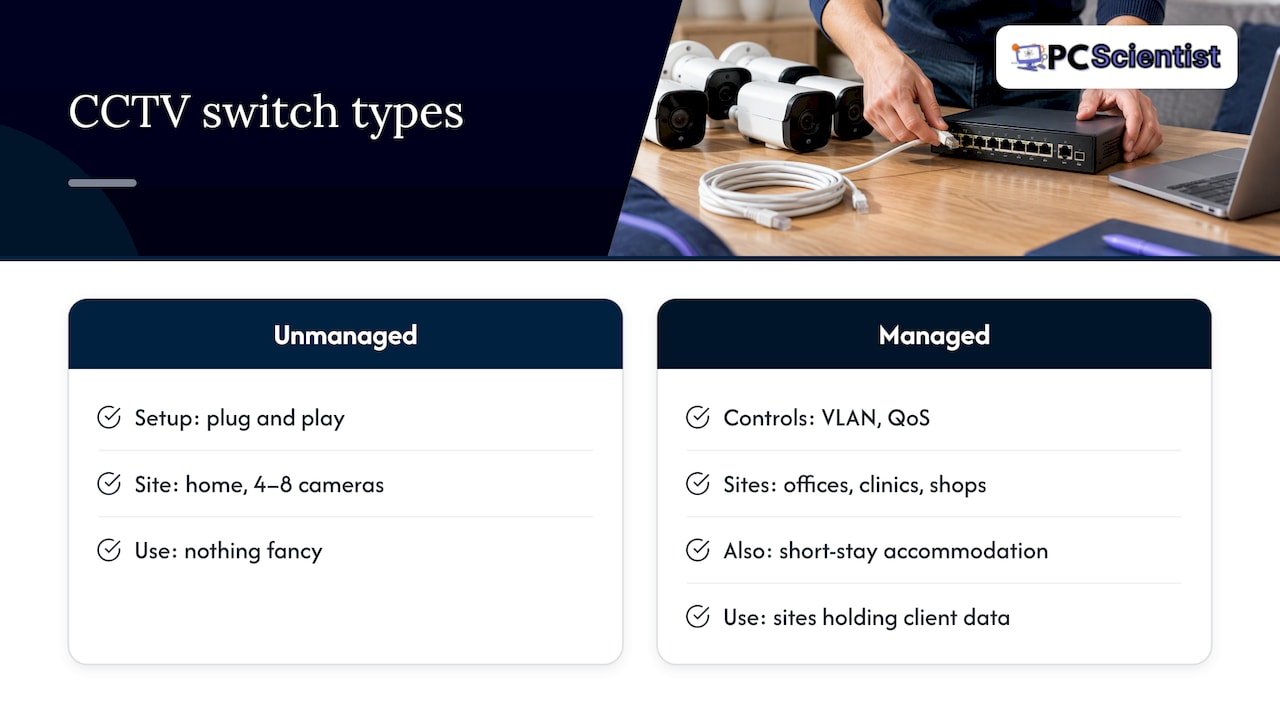
In plain terms, a VLAN lets you put cameras on their own private lane so a compromised smart TV or guest phone cannot reach them. That is a real security gain for offices, clinics, shops and short-stay accommodation, and it ties directly to protecting the footage itself. If your site holds customer or client data, a managed switch is worth the extra step. Our Network Scientist service handles this sort of segmentation, and Cybersecurity Scientist covers locking down the recorder and remote access.
Cabling: the part that decides whether it all works
A great switch on poor cable is a poor system. The cable carries both power and data for up to 100 m per run from switch to camera, which is the standard Ethernet limit. Three points matter.
Use real copper. Copper-clad aluminium cabling is not recommended for PoE because it carries power poorly and can run hot. It is often sold cheaply as network cable, so check the label before you buy a box.
Choose the category for the future. Cat5e will do the job on a short run for a modest camera. For anything new, we install Cat6, which gives extra headroom for higher-power cameras and for later upgrades.
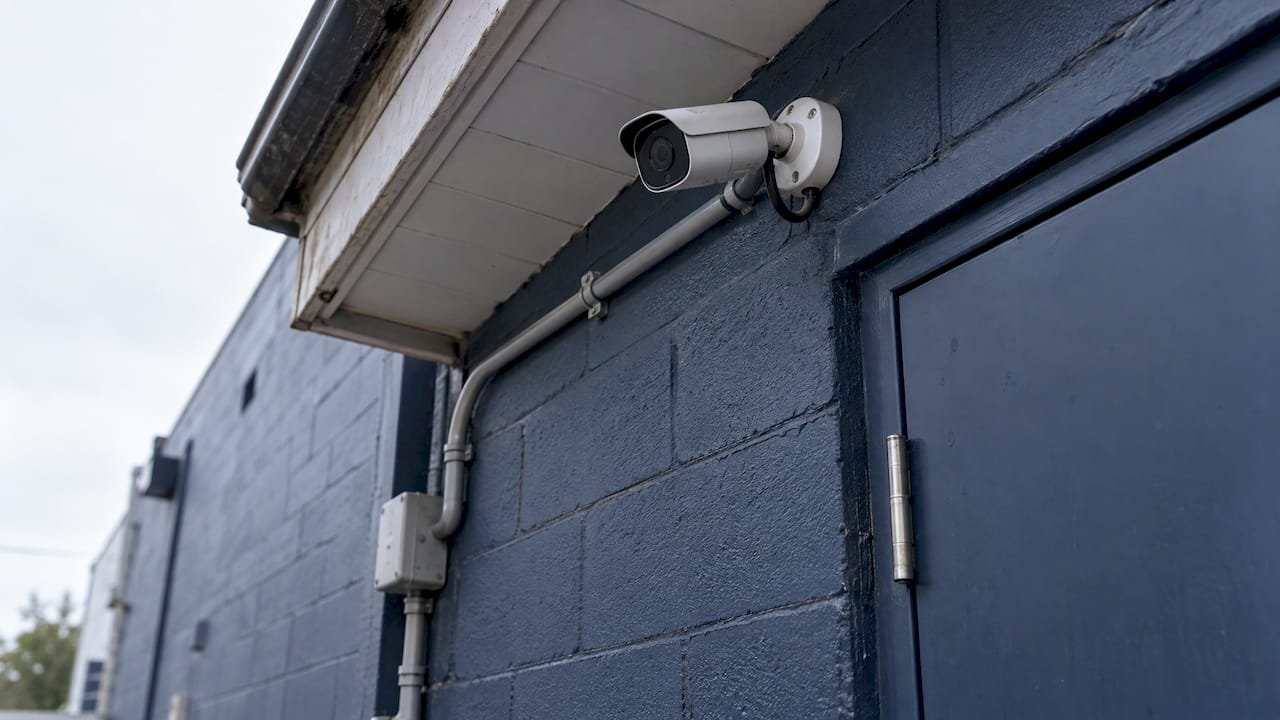
Plan the route. Conduit, weatherproofing, avoiding mains cable runs and leaving a service loop at each camera all make the install last. For wiring methods and what suitable cable looks like outdoors, this guide to PoE camera cabling is a handy read alongside ours.
If you are building or renovating, it is far cheaper to lay cable before the walls are closed. Our guides on prewiring a house for CCTV and prewiring for Ethernet show how to plan conduit and outlet positions. If you are unsure whether a cabled approach beats the alternatives for your layout, see network cabling vs powerline.
Australian standards and who should install
The Australian Government's cyber security manual advises that cabling infrastructure be installed by an endorsed cable installer to the relevant Australian Standards. Specifications for ICT cabling commonly reference AS 11801.2:2019 and AS/NZS 3084:2017 where applicable. That is the benchmark a professional cabling job should meet, and it is a good question to put to anyone quoting for your site.
Separately, low-voltage cabling work is regulated in Australia, and CCTV installation in NSW has its own licence rules and notice requirements. We cover those in CCTV laws in NSW, and the signage side in CCTV signage requirements in NSW. Strata residents should read apartment CCTV rules before drilling anything.
Where to put the switch and how to connect it
The basic connection order is straightforward:
- Mount the switch in a ventilated spot: a comms cabinet, a cupboard or a wall-mounted rack, not a sealed box.
- Run each camera cable back to a PoE port on the switch.
- Connect the switch's uplink port to the NVR (or to the network the NVR sits on).
- Connect the NVR to your router if you want remote viewing.
- Power the switch from a protected supply and confirm each camera is detected on the NVR.
Heat is the quiet killer. EtherWAN lists operating temperatures of 0 to 45°C for indoor switches with air conditioning, and -10 to 60°C without it. A switch crammed into a hot roof space or a closed garage cupboard in an NSW summer can exceed what a standard unit is designed for, so choose the location and the switch rating together. Outdoor locations call for hardware rated for it.
Power protection matters as well. One NVR manufacturer's quick-start guide says using a UPS is mandatory for the reliability of that recorder and failing to do so may void its warranty. Whatever brand you own, check your recorder's manual, and consider a small UPS for both NVR and switch so a brownout does not corrupt footage. Once recording is stable, plan how long you keep it with our CCTV storage options guide.
Mistakes we see on NSW sites
- Buying by port count only. The switch has eight ports but not the watts for eight cameras.
- Using the cheapest cable. Copper-clad aluminium and kinked or over-long runs cause cameras to drop out.
- No spare capacity. Six cameras on a six-port switch leaves no room for the seventh camera you will want after a break-in scare.
- Forgetting the uplink. One port is needed to reach the NVR, which many people miss.
- Sharing the home network. Cameras on the same network as every phone and smart TV are easier to reach for the wrong people.
- Hiding the switch somewhere hot. Roof cavities and sealed cupboards shorten its life.
None of these is hard to avoid once you know about them. They are exactly what a site assessment catches before you spend money on hardware.
Perspective
Most of the PoE switch problems we get called to fix were not caused by a bad switch. They came from a good switch bought before anyone had walked the property. Nobody had counted the cable distance, checked the camera wattage or asked where the cabinet would sit and how hot it gets in February.
That is why we prefer to start with a look at the site. We work out the camera positions, route the cabling, size the power budget with spare capacity and then choose the switch to suit. If your NVR already has enough PoE ports, we will say so and save you buying one. If it does not, we will specify a switch that fits your cameras today and the ones you will probably add next year.
Our Security Camera Scientist division handles CCTV design and installation, and our Network Scientist work means the cameras sit properly on your network, kept separate from the devices you use every day. You do not need to know the terms on the datasheet. Describe what you want to see and protect, and we handle the rest, with clear explanations at each step.
PC Scientist
Planning a CCTV system? Let us size it with you
If you would rather not do the maths on wattage and ports yourself, we can do it onsite across NSW, from the Central Coast and Sydney to Newcastle, Wollongong and the Southern Highlands. Our Security Camera Scientist service covers camera placement, cabling, switch and recorder selection, and a site assessment so you know the plan before work starts. For the full picture of what drives the cost, read our Sydney CCTV installation costs guide.

Tell us how many cameras you have in mind and what you want covered, and we will take it from there. You can start on the PC Scientist homepage.
Sources
- PoE Switches 101: An Essential Guide
- Security IP Surveillance Quick Reference Guide, EtherWAN
- On-board PoE Power Controller Technical Note, Perle
- Do I need a PoE switch with an NVR? A practical setup guide
- PoE for CCTV: 802.3af, at and bt explained
- Guidelines for communications infrastructure, Cyber.gov.au
- ICT cabling infrastructure technical standard, Queensland Government
- U12 NVR Quick Start Guide
- PoE To 328 Ft: Code Safe Security Camera Wiring
Recommended
- Wired vs wireless CCTV: which one actually protects your property?
- Keep Existing Coax? Installer Rules for NVR vs DVR in Home Installs
- CCTV Storage Options for Australian Homes and SMEs: Retention First
- Security camera placement: where every camera should go
Frequently Asked Questions
Straight answers about PoE Switch for CCTV: How to Choose the Right One - without jargon or pressure. Call 0493 563 381 for advice, or get help below.
Want the quickest answer? 0493 563 381 for free advice.
Only if the NVR cannot power and connect all your cameras itself. An NVR with enough built-in PoE ports and power can run cameras directly. A model without PoE ports, or one that is full, needs a separate switch.
It depends on the number of PoE ports and the total power budget. Add up each camera's worst-case wattage and make sure the total sits below the switch's budget, with some headroom. Eight low-power cameras may be fine on a switch that could not run four high-power PTZ units.
Plug each camera into a PoE port, then connect the switch's uplink port to the NVR or the network it sits on. The NVR finds the cameras over the network and records their streams. Check that each camera shows up before you finish.
The best one is the one that matches your cameras: enough ports plus spares, a power budget above the combined load, the right PoE standard and a Gigabit uplink. Managed models suit sites that want cameras separated from other devices. We specify this after seeing your site.
Network help across NSW
Still stuck choosing a PoE switch for CCTV?
If the steps above did not get the network behaving, that is okay. Get help in your area and we will take it from here.
Start here
Get network help
Optional Need a Sydney city or region?
Choose a side of Sydney
These are Sydney cities and regions, such as the Northern Beaches or Inner West. First tap a side of Sydney. Then open the city or region that covers you.
C Sydney City / Inner 3 areas
N Northern Sydney 5 areas
NW North-West / Central Sydney 3 areas
W Western Sydney 1 area
SW South-West Sydney 3 areas
S Southern Sydney 2 areas
Optional Find your suburb
Type a suburb from our listed coverage. This opens the matching city or region page for this topic. Listed suburb pages are general technology services, not this specialist page.
If your suburb is not listed, use the city or region list above, or call 0493 563 381.
Disclaimer
The information in this article is provided for general educational and informational purposes only. While PC Scientist strives to keep all content accurate and up to date, technology issues can vary depending on your device, software, network configuration, and individual circumstances. Always back up important data before attempting repairs or system changes. If you are unsure or the issue cannot be resolved safely, contact PC Scientist today for professional onsite or remote IT support. PC Scientist is not liable for any loss of data, damage, or other issues resulting from the use of the information provided in this article.