Call PC Scientist
0493 563 381
SOUTH WESTERN SYDNEY · NETWORK & WI-FI

Wi-Fi and network help when dropouts ruin your day

Video call frozen again? One room where Wi-Fi never works? Internet fine on the modem label but useless in the study? Dropouts at the worst time are exhausting. This page covers network and Wi-Fi help across South Western Sydney, including help with slow computers, login issues, email problems, Wi-Fi troubleshooting, device setup, data recovery, cybersecurityfor homes and small businesses, with calm practical help and clear next steps.

We separate modem, router, mesh, cabling, and device issues from provider problems, then suggest the sensible fix - not a full rip-and-replace unless it is truly needed. Quotes are clear before work begins.

PC Scientist Wi-Fi and network help for dropouts and weak signal across South Western Sydney
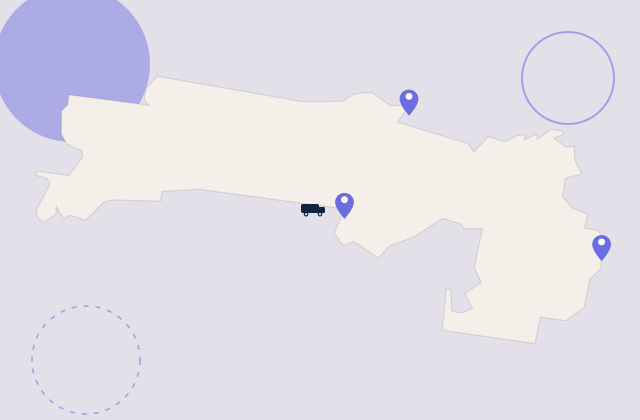
Network And Wi-Fi Help for homes and small businesses across the South Western Sydney. View all South Western Sydney suburbs.

Why Choose PC Scientist?

No Fix, No Fee

  • Worried you will pay for a problem we cannot solve? If we cannot fix it, you do not pay a repair fee.
  • Zero risk when you are already stressed about broken tech.

Clear Upfront Pricing

  • No surprises and no bill shock.
  • You know what to expect before any work begins, so there are no awkward surprises later.

Speak to a Real Person

  • Call 0493 563 381 and talk to someone who listens - not a script or overseas queue.
  • Plain-language advice before you book anything.

Fixed Properly First Time

  • We solve the real issue, not a quick patch that fails next week.
  • Honest repair-versus-replace advice when further spend is not worth it.

Several Issues, One Visit

  • Slow computer, Wi-Fi dropouts, and email trouble? Often sorted in one booking.
  • Less hassle than juggling multiple callouts or providers.

Your Data Treated Carefully

  • Photos, tax files, and business records stay handled with care and security in mind.
  • Calm guidance after scams or suspicious messages without panic.

Wi-Fi and internet problems we fix regularly

Bring your suburb and describe which rooms or devices fail most often. These are typical network and Wi-Fi help jobs for homes, granny flats, and small offices on the South Western Sydney.

Common jobs on this page

  • Wi-Fi dropouts during Zoom, Teams, or FaceTime calls
  • One room or outdoor area that never holds signal while the rest of the house is fine
  • New NBN or modem setup, mesh networks, and guest Wi-Fi passwords
  • Slow internet when several people are online at once
  • Help gathering evidence when your provider insists "the line is fine"

How to contact PC Scientist

  1. Call for Free Advice - Choose this if you want to talk to someone right away. It is for speaking on the phone. The number is 0493 563 381. You can also dial that number yourself without opening the window.
  2. Request a Call Back - Choose this if you do not want to ring now. You fill in a short form so PC Scientist can call you back when you are free.
  3. Request a Free Quote - Get written pricing or service clarity first. You fill in a short form - no obligation.

You only need to pick one of the three. There is no pressure and no technical language required. If you are not sure, Call for Free Advice is often the quickest way to explain what is going on.

What happens after you get in touch

  • We review layout, hardware age, and what fails at what time of day.
  • You get a plain-language plan before any new gear is recommended.
  • Onsite visits when cabling, placement, or several access points need checking.

Looking for a specific service?

Need a different type of help than the examples above? Browse specialist technology service categories for South Western Sydney on this page - each card opens a clear starting point for that service. Or call 0493 563 381 for free advice.

Call For Free Advice

Get in touch

Leave your message and we'll get back to you shortly.

Attachments

Allowed file types: jpg, jpeg, png, gif, pdf, doc, docx, xls, xlsx, odt, ppt, pptx, pps, ppsx, html, and less than 100 MB.

No file chosen

This form uses spam checks and sends your request directly to PC Scientist.

Specialist Technology Service Categories Across South Western Sydney

Pick the area that sounds closest to your problem, or use Contact PC Scientist and we will point you in the right direction. Plain help for homes and businesses across South Western Sydney.

Need help with your setup? Contact PC Scientist for a clear quote and a practical recommendation for your South Western Sydney home or business.

PC Scientist provides network and Wi-Fi help across the South Western Sydney, including help with slow computers, login issues, email problems, Wi-Fi troubleshooting, device setup, data recovery, cybersecurityfor homes and small businesses, with calm practical help and clear next steps, and nearby neighbourhoods. Onsite and remote options depend on the job and availability.

View the full South Western Sydney suburb and area list on the regional hub when you want your street or a wider area overview.

Not sure if we cover your street? Call or request a quote and mention your suburb. We will confirm the most practical next step for network and Wi-Fi help.
Call 0493 563 381
shape
image
Frequently asked questions
FAQ

Frequently Asked Questions

We look at modem and router placement, mesh or extenders, interference, and whether the fault is local gear or your internet provider. Coverage includes South Western Sydney suburbs such as help with slow computers, login issues, email problems, Wi-Fi troubleshooting, device setup, data recovery, cybersecurityfor homes and small businesses, with calm practical help and clear next steps.

Yes. Stable Wi-Fi for Zoom, Teams, and uploads is a common home-office request. We focus on layout and settings before suggesting expensive new hardware.

Not always. Sometimes channel changes, firmware updates, or one well-placed mesh node fixes the problem. We explain trade-offs before you spend.

Yes. We can test onsite and help you gather evidence if the fault looks upstream, so you know what to ask your provider for.

shape
shape
Need help now? Not sure what to click or what to do next?

Talk to PC Scientist for free advice, calm and practical IT help