

NBN dropouts at night: eight checks worth running

If your internet cuts out every evening, the most likely culprit is evening congestion between 7pm and 11pm, followed by in-home equipment faults, with a genuine line fault coming in third. Start tonight with a wired speed test, screenshot the result with a timestamp, and begin a simple connectivity log. That evidence tells you which of the three you're dealing with, and it's exactly what your provider will ask for if you need to escalate.
Key takeaways
- Compare wired results during 7pm to 11pm with your plan's typical evening speed, then repeat midmorning; matching the benchmark points to expected congestion.
- FTTN and FTTC lines are especially vulnerable to distance, copper quality, and electrical noise; infrastructure faults can take weeks to fix.
- Check modem compatibility, update firmware, power cycle for two minutes, and test by Ethernet; stable wired service points to router trouble or poor placement.
- Log dropout dates, times, durations, and connection types across nights; providers must offer a personalized plan when a new service remains down for 20 days.
Table of Contents
- How evening congestion works and what counts as a normal slowdown
- How different nbn connection types behave after dark
- In-home equipment checks that solve most nightly dropouts
- Interference and line noise: the technical causes people miss
- An 8-step checklist to run tonight
- Escalating with your provider and what the rules say
- When it's time to call an onsite technician
- Realistic timelines and keeping your stress low
- How we help with persistent night-time nbn dropouts
- FAQ
- Sources
How evening congestion works and what counts as a normal slowdown
Most nbn users see their connection slow down between 7pm and 11pm, when households across the country are streaming, gaming, and video calling at the same time. NBN Co explains that this busy period commonly causes slower or less stable service simply because more people are drawing on the same shared network capacity at once.
This isn't a fault in the traditional sense. Think of it like peak-hour traffic: the road hasn't changed, but everyone's trying to use it at the same time, so things move slower. On an nbn connection, the "contention" happens at various points in the network between your home and the exchange, and the busier it gets, the less headroom each household has.
The fix starts with knowing what's normal. Every nbn plan has two numbers: an advertised maximum speed and a "typical evening speed", which reflects real-world performance during that 7pm to 11pm window. If your results during peak hours match or come close to your plan's typical evening speed, congestion is doing exactly what it's expected to do. If you're falling well short of it, or losing the connection entirely, that's a different story.
To work out where you stand:
- Run a wired speed test during the 7pm to 11pm window and note the download and upload figures.
- Compare those results against your plan's advertised speed and its typical evening speed, not just the maximum figure.
- Repeat the test at a quiet time, like 10am, to see how much the numbers shift.
- If evening speeds sit close to your plan's typical evening figure, congestion is likely the explanation rather than a fault.
NBN Co also notes that when problems only show up during peak hours, many households find the fastest resolution is moving to a plan with a higher typical evening speed or switching to a provider with less contention on their network.
How different nbn connection types behave after dark
Not every nbn connection handles the evening rush the same way, and knowing your technology type helps you understand what's realistic to expect.
- Fibre to the Premises (FTTP) runs fibre optic cable all the way to your home and tends to hold up best under evening load, with little sensitivity to distance or copper quality.
- Hybrid Fibre Coaxial (HFC) uses the old pay-TV cable network and is generally stable, though it can show slowdowns in densely packed apartment blocks during peak hours.
- Fibre to the Node or Curb (FTTN/FTTC) relies on existing copper phone lines for the final stretch and is the most sensitive to distance, line quality, and electrical noise.
- Sky Muster satellite serves remote and regional areas and has its own peak-period fair use policies that can affect evening performance differently again.
FTTN and FTTC connections use a technology called VDSL2 over copper, and copper is far more sensitive to electrical interference and distance than fibre. The ACCC data from the March 2026 quarter shows roughly 1.2 million services were affected by dropouts monthly, with FTTN and FTTC technologies reporting the highest volumes of services experiencing more than seven dropouts a month, which lines up with what copper-based connections are known to struggle with.
VDSL2 has two built-in features worth understanding: Seamless Rate Adaptation (SRA) and Stabilisation and Optimisation Service (SOS). Both are designed to manage noise on the copper line by adjusting speed or resyncing the connection when conditions change. That's useful in theory, but in practice it means a line with marginal noise levels can resync, drop, and reconnect repeatedly through the evening, exactly when electrical and radio interference in your area tends to peak.
The practical implication matters here. Your ISP can usually fix software settings, swap a faulty modem, or request a line test from nbn. What neither your ISP nor nbn can quickly fix is ageing copper infrastructure itself. If testing points to a line quality issue on an FTTN or FTTC connection, you may be looking at a longer-term infrastructure conversation rather than a same-day fix, and it helps to know that going in.
In-home equipment checks that solve most nightly dropouts
Before assuming the fault sits with nbn, it's worth ruling out your own setup, because a surprising number of nightly dropouts trace back to something inside the house.
Modem and router compatibility matters more than most people realise. NBN Co's technical guidance warns that an incompatible VDSL2 modem can cause dropouts and may even be blocked from the network entirely if it doesn't meet the required Network Interface Specification. If you're using a modem that's several years old, or one that wasn't specifically sold as nbn-compatible, that's worth checking early. Our guide on choosing the right nbn device runs through what compatibility actually looks like in practice.
Here's a practical sequence to work through tonight:
- Check your modem or router model against nbn's compatibility list and update its firmware if an update is available.
- Power off the modem and router for a full two minutes, not just a quick unplug and replug, then power back on and wait five minutes for a full resync.
- Connect a laptop or desktop directly to the modem with an Ethernet cable and run a speed test to rule out Wi-Fi as the cause, following these technician-backed quick checks to save time fixing laptop Wi-Fi issues.
- Inspect the phone line cable and wall socket for damage, loose connections, or signs of wear, particularly on older NSW properties.
- Check your router's event log (most have one in the admin interface) for repeated disconnection timestamps.
- If you've got older kit, relocate the router away from other electronics like microwaves, baby monitors, and cordless phones.
- If problems persist after all of the above, try a factory reset on the modem and reconfigure it from scratch.
- If the dropouts continue even after a reset, equipment replacement is usually the next sensible step rather than more troubleshooting.
CHOICE recommends a proper power cycle as a first move because it clears many transient faults, and a wired Ethernet test as the most reliable way to check your connection's real performance, since Wi-Fi interference can mimic an nbn fault.
Pro Tip: If the wired test is clean but Wi-Fi still drops, the problem is almost certainly your router or its placement, not your nbn connection.
For dropouts that only happen over Wi-Fi, our detailed walkthrough on fixing Wi-Fi that keeps dropping covers channel selection and interference in more depth, and this quick wired-test guide is worth running through step by step if you haven't isolated the issue yet.
Interference and line noise: the technical causes people miss
Some nightly dropouts have nothing to do with congestion or your router, and everything to do with electrical noise on the copper line itself.
VDSL2 connections are sensitive to a type of interference called common-mode noise, which gets converted to differential-mode noise on the line and can overwhelm the signal the modem relies on to stay synced. NBN Co's technical documentation on interference explains that sudden bursts of this kind of noise can overwhelm the VDSL2 recovery channels and trigger rapid resyncs, which shows up to you as the connection dropping out and reconnecting.
Common sources of this kind of noise include:
- Nearby amateur radio transmissions, which can introduce strong bursts of interference onto copper lines in range.
- Faulty electrical appliances, particularly older fridges, pool pumps, or dimmer switches with failing components.
- Deteriorating joints or ageing cable runs in the copper network between the exchange and your home.
- Poor-quality internal wiring or old wall sockets that haven't been updated in years.
If interference from a specific frequency band is suspected, your provider or nbn may apply a technique called band-notching, which filters out a problematic frequency range to stabilise the connection. It's worth understanding that this is a temporary workaround rather than a fix, because it treats the symptom rather than the underlying noise source. A proper resolution usually needs a physical line inspection to find and correct the actual cause, whether that's a corroded joint, a damaged cable, or a faulty appliance nearby.
An 8-step checklist to run tonight
Work through this in order, and don't skip the documentation steps, because they're what turns "it keeps dropping out" into evidence your provider can act on.
- Run a wired speed test between 7pm and 11pm and screenshot the result with the time and date visible.
- Repeat the same test at a quiet time, like mid-morning, to compare peak versus off-peak performance.
- Power cycle your modem and router for two full minutes, then retest once it's reconnected.
- Connect a device directly via Ethernet to separate a Wi-Fi problem from a genuine line issue.
- Check your router's admin panel for a connection log showing resync or disconnection timestamps.
- Note every dropout as it happens: date, time, duration, and what you were doing on the connection.
- Repeat your speed tests across several nights during the peak window to spot a pattern.
- Compile everything into a simple log before contacting your provider.
For Sky Muster satellite users, nbn's Plustest tool is the equivalent diagnostic to run, since standard speed test sites don't always reflect satellite performance accurately.
A simple table makes the log easy for both you and your provider to read:
Three or four nights of entries like this is usually enough to show a provider whether you're dealing with a pattern tied to peak hours, a Wi-Fi-only problem, or something that needs a technician to look at the line itself.
Escalating with your provider and what the rules say
If your evidence shows dropouts happening outside peak hours, or a wired connection that still drops even with clean equipment, it's time to escalate formally rather than keep troubleshooting solo.
ACMA's nbn service rules set out what your provider is required to do when a service isn't working properly. Providers must check your service, attempt a remedy within set timeframes, and if a new service remains non-operational for 20 days, they're required to offer you a personalised plan to fix it. These rules exist because dropouts are a persistent issue across the industry, not a rare complaint.
When you call or lodge a complaint, a few things help move things along faster:
- Lead with your log: dates, times, duration, and whether the dropout happened on a wired or Wi-Fi connection.
- Mention that you've already ruled out in-home equipment with a wired test, since this skips a step many support scripts start with.
- Ask specifically what remediation timeframe applies to your case under the service rules.
- If the fault continues past the initial attempts, ask for escalation to a technical specialist team rather than repeating first-line troubleshooting.
- Keep a record of who you spoke to and when, in case you need to escalate further to the Telecommunications Industry Ombudsman.
CHOICE's troubleshooting guidance backs this up, noting that a consistent, time-stamped log makes it significantly easier to get a provider to treat an intermittent fault as real, since remote line tests often miss problems that only show up during peak hours.
When it's time to call an onsite technician
Some faults simply can't be diagnosed over your phone, and that's when an onsite visit earns its keep. Physical wiring issues, line noise, and Wi-Fi dead zones often only reveal themselves when someone is standing in the property with the right tools.
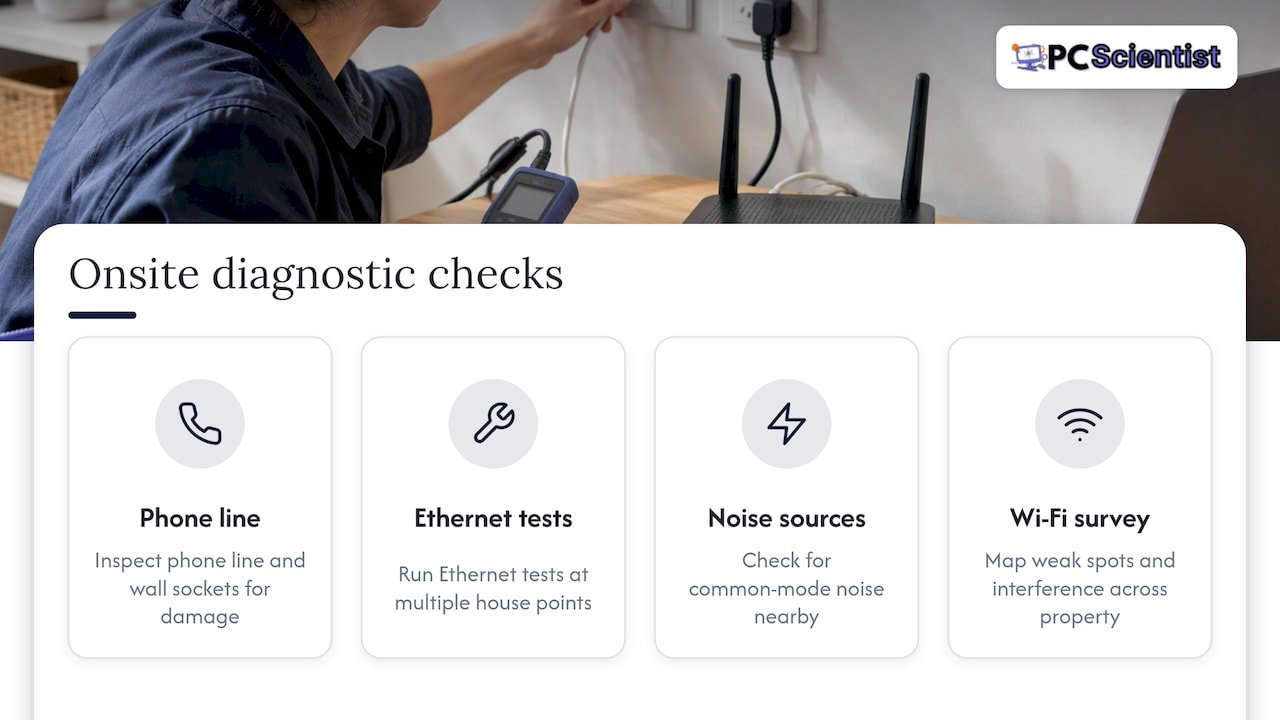
On a typical visit, we check the physical phone line and wall sockets for wear or damage, run Ethernet tests at multiple points in the house, check for common-mode noise sources nearby, and carry out a Wi-Fi site survey to map out weak spots and interference across the property. This combination usually uncovers the kind of issue a remote support call simply can't see.
Common fixes from an onsite visit include reterminating a damaged connection, replacing a worn wall socket, swapping out an ageing or incompatible modem for one properly suited to your connection type, tuning router settings for your specific home layout, and running new Ethernet cable where Wi-Fi alone can't reliably cover the distance.
If you'd rather skip weeks of back-and-forth with a call centre, our Network Scientist team handles this kind of diagnostic work across NSW homes, with a straightforward booking process and a follow-up check once the fix is in place to confirm it's holding under evening load.
Realistic timelines and keeping your stress low
It helps to know roughly what you're in for. In-home fixes, like a power cycle, a factory reset, or swapping a faulty router, usually resolve things within hours. ISP escalations typically take a few days once you've got a proper log to hand over. If the root cause turns out to be ageing copper infrastructure, that can stretch into weeks or occasionally longer, since it depends on physical works rather than a software fix.
The best thing you can do in the meantime is stay methodical. A clear log turns a frustrating, hard-to-pin-down problem into something concrete your provider has to act on, and it stops the process from dragging out through repeated first-line troubleshooting calls. If your evidence gathering stalls, or the dropouts are affecting something time-sensitive like working from home, bringing in a local technician to check the physical setup is often the fastest way to get a definitive answer rather than more guesswork over the phone.
- PC Scientist
How we help with persistent night-time nbn dropouts
When you've worked through the checks above and the dropouts are still happening, an onsite look at your actual setup is usually the fastest way to a real answer. We provide onsite network diagnostics and repairs across NSW, allowing a technician to be at your door rather than on hold with a call centre.

A first visit through our Network Scientist service typically includes:
- A full physical inspection of your wiring, wall sockets, and modem setup.
- Wired and wireless testing to pinpoint exactly where the fault sits.
- A Wi-Fi site survey to map weak spots and interference across your home.
- Practical fixes on the spot, from socket repairs to router tuning or replacement.
If you'd rather start with general computer or network troubleshooting first, our Computer Support Scientist team can take a look at the broader setup too. You can book a visit or check availability for your area through Pcscientist whenever you're ready for someone to come and sort it properly.
Sources
- NBN Co - Resolving service issues: 8 FAQs answered
- ACCC - Service quality and network performance record-keeping rule (June quarter 2026 data)
- ACMA - NBN service rules for telcos
Recommended
- Fix slow home internet in Australia: 5 minute wired test first
- Decide Fast: Network Cabling vs Powerline in Australia, 3 Site Checks
- Stop Buying the Wrong NBN Device in Australia: Most Homes Need a Router
- Modem Router Combo or Separate: NBN Rules for Australian Gamers
Frequently Asked Questions
Straight answers about NBN Dropouts at Night: 8 Checks to Run Tonight in Australia - without jargon or pressure. Call 0493 563 381 for advice, or get help below.
Want the quickest answer? 0493 563 381 for free advice.
Dropouts at 3am are unusual, since this falls well outside the typical 7pm to 11pm busy period that causes most evening congestion, according to NBN Co. This timing points more strongly towards in-home equipment, a scheduled router reboot or firmware update, or a line noise issue rather than network demand, so a wired test and a check of your router's logs around that time is the best next step.
The three most common causes are evening network congestion, an incompatible or ageing modem, and line noise or faults on the copper network for FTTN and FTTC connections. ACCC data from the March 2026 quarter shows FTTN and FTTC technologies report the highest rates of frequent dropouts, which makes connection type worth checking first if you're on one of those.
There's no requirement to turn your modem off overnight, and most households leave it running continuously without issue. If you're troubleshooting dropouts, a proper two-minute power cycle rather than leaving it off is more useful, since it forces a clean resync that can clear transient faults, as CHOICE notes.
Wi-Fi-specific dropouts, where a wired connection stays stable but Wi-Fi doesn't, usually point to router placement, channel interference from other devices, or an overloaded router rather than an nbn fault. Running a wired Ethernet test alongside your Wi-Fi test is the clearest way to tell the two apart, and our guide on fixing Wi-Fi that keeps dropping walks through the common fixes in more detail.
Wi-Fi help across NSW
Need a hand with NBN dropouts at night?
If the steps above did not get Wi-Fi behaving, that is okay. Get help in your area and we will take it from here.
Start here
Get Wi-Fi help
Optional Need a Sydney city or region?
Choose a side of Sydney
These are Sydney cities and regions, such as the Northern Beaches or Inner West. First tap a side of Sydney. Then open the city or region that covers you.
C Sydney City / Inner 3 areas
N Northern Sydney 6 areas
NW North-West / Central Sydney 3 areas
W Western Sydney 1 area
SW South-West Sydney 3 areas
S Southern Sydney 2 areas
Optional Find your suburb
Type a suburb from our listed coverage. This opens the matching city or region page for this topic. Listed suburb pages are general technology services, not this specialist page.
If your suburb is not listed, use the city or region list above, or call 0493 563 381.
Disclaimer
The information in this article is provided for general educational and informational purposes only. While PC Scientist strives to keep all content accurate and up to date, technology issues can vary depending on your device, software, network configuration, and individual circumstances. Always back up important data before attempting repairs or system changes. If you are unsure or the issue cannot be resolved safely, contact PC Scientist today for professional onsite or remote IT support. PC Scientist is not liable for any loss of data, damage, or other issues resulting from the use of the information provided in this article.
