

FTTN to FTTP upgrades: when there is a cost, and when there is not
If your address is eligible, upgrading from FTTN to FTTP costs $0 for the standard installation. That's the answer most Australians researching an FTTN to FTTP upgrade cost are hoping for, and for a large chunk of the country, it's true. NBN Co's Fibre Connect program replaces the old copper connection with full fibre at no charge, provided you order a qualifying plan through a participating retail provider.
The catch sits in that word "eligible." Some premises, particularly older apartment blocks, homes with long or awkward cable runs, or properties needing new pathway work, fall outside the standard upgrade. For those, the paid route is the Technology Choice program, and quote here vary wildly, from a few thousand dollars to figures well into five digits for genuinely complex builds.
Here's what to do right now, before you commit to anything:
- Check whether your address already shows FTTP availability on NBN Co's upgrade pages.
- If it's not listed, contact your current or preferred retail provider and ask them to run an eligibility check on your behalf.
- If you're told it's a paid upgrade, request a formal Technology Choice quote before agreeing to anything. It's free to ask, and you're not locked in once you see the number.
Key Takeaways
Most FTTN to FTTP upgrades cost $0 for eligible premises, while paid Technology Choice builds can run into the tens of thousands depending on property complexity.
| Point | Details |
|---|---|
| Standard upgrades are usually free | Eligible premises get $0 installation through Fibre Connect, but you generally need to order a qualifying plan. |
| Paid quotes vary enormously | Complex FTTB and FTTN builds have been reported between roughly $10,000 and $28,000. |
| FTTC rules relaxed from July 2026 | FTTC customers no longer need a high-speed plan tier to trigger a free upgrade. |
| Orders go through your provider | NBN Co is a wholesaler, so you must request the upgrade through a participating retail provider, not NBN Co directly. |
| A site check reduces surprise costs | PC Scientist offers pre-upgrade assessments and internal cabling to help you avoid an inflated Technology Choice quote. |
Table of Contents
- What determines whether your FTTN to FTTP upgrade cost is $0 or thousands
- Am I eligible for a free FTTP upgrade in 2026?
- How do I check eligibility and get an accurate quote?
- What actually happens between ordering and activation?
- What have other Australians actually paid for a paid FTTP upgrade?
- How long does an FTTP upgrade actually take?
- Is upgrading to FTTP actually worth it?
- Getting your home ready before the FTTP technician arrives
- Common pitfalls technicians find during a paid FTTP upgrade
- Book a pre-upgrade assessment before you commit to a big quote
- Sources
- FAQ
What determines whether your FTTN to FTTP upgrade cost is $0 or thousands
The single biggest factor is which program your upgrade falls under. NBN Co runs two very different pathways, and which one applies to you depends almost entirely on how your street and building are physically wired.
The first is the standard Fibre Connect upgrade. This is NBN Co's infrastructure-led rollout, where the company proactively extends fibre to eligible premises as part of its network investment. If your address qualifies, the physical fibre run and installation are covered, and your only real obligation is ordering an eligible wholesale speed tier once your provider confirms the upgrade.
The second pathway is the Technology Choice program, which exists specifically for premises the standard rollout doesn't reach. This is a paid, custom-quoted project, and it's where FTTN to FTTP transition expenses can climb fast.
The physical factors that drive up cost
- Distance to the nearest fibre point. The further your premises sits from existing fibre infrastructure, the more cable NBN Co's contractors need to run, and the more labour that requires.
- Trenching or drilling requirements. If the fibre path needs to cross a driveway, footpath, or hard surface, expect directional drilling or trenching costs to be added to the quote.
- Multi-dwelling complications. Apartment blocks, townhouse complexes, and properties with shared infrastructure often require body corporate approval and more intricate cable routing through common areas.
- Building material and access difficulties. Older brick or double-brick homes, heritage-listed properties, and sites with restricted access (locked gates, difficult terrain, easement issues) all add engineering time.
- Private land access negotiations. If the fibre path crosses a neighbour's property, NBN Co needs permission, and sorting that out can add both cost and delay.
On the administrative side, there's a second layer of cost that catches people off guard. Even under the free standard upgrade, you generally need to order a plan on an eligible higher wholesale speed tier to trigger the switch, and some retail providers pass on their own administrative charges for managing that order. Business customers face an extra wrinkle too: quotes through NBN's Business On‑Demand channel often include design review and program management costs that don't appear in the standard residential quote tool.
Reported paid-quote figures give a sense of scale. Independent coverage of the Technology Choice program has documented complex FTTB and FTTN builds priced between roughly $10,000 and $28,000, largely driven by apartment-building infrastructure work and extensive drilling through hard surfaces. These are the worst-case scenarios, not the norm, but they explain why getting a personalised quote before committing matters so much.
Am I eligible for a free FTTP upgrade in 2026?
Eligibility for the standard Fibre Connect upgrade comes down to two things: whether your premises sits within NBN Co's active rollout zone, and whether you're prepared to order a plan on a qualifying speed tier. Most standalone residential homes currently served by FTTN or FTTC fall within scope as NBN Co continues extending its fibre footprint.
The rules around qualifying plans have shifted recently, and it's worth knowing exactly where things stand. Historically, triggering a free upgrade meant committing to an NBN 500 plan or higher, a speed tier well beyond what most households actually need. That requirement locked plenty of eligible homes out of the free upgrade simply because the household didn't want to pay for a faster plan than they'd use.
From July 2026, NBN Co relaxed this rule specifically for FTTC customers, removing the need to order a high-speed tier to access a free upgrade. This shift means more Australians who previously had to choose between an expensive plan commitment or staying on ageing infrastructure can now access fibre without that trade-off. FTTN customers should still confirm the current speed-tier requirement with their provider, as rules can differ by connection type and location.
A few eligibility basics are worth keeping front of mind:
- NBN Co doesn't deal with you directly. It's a wholesaler, which means you can't order an upgrade straight from NBN Co. You place your order through a retail provider such as your existing internet company, and it lodges the wholesale request on your behalf.
- Standalone houses tend to have the smoothest path. Multi-dwelling complexes and properties with shared infrastructure are more likely to trigger a design review, even under the standard program.
- The rollout is ongoing, not finished. NBN Co has confirmed further investment to upgrade remaining FTTN premises, meaning addresses not currently eligible may become eligible as the program expands.
If you're on FTTN and haven't checked in the last few months, it's worth doing again. Eligibility maps get updated regularly as the rollout progresses.
How do I check eligibility and get an accurate quote?
Getting a real answer, not a guess, means using the right tools in the right order.
- Start with NBN Co's own upgrade pages. These let you check address-level eligibility for the standard Fibre Connect program and give you a starting point before you talk to anyone else.
- If your address isn't eligible for the free path, use the Technology Choice quote tool. This generates a personalised estimate based on your property's specific fibre requirements rather than a generic figure.
- Contact your preferred retail provider. This is the step people skip, and it's the one that actually matters most. NBN Co doesn't take orders from individuals; your provider places the wholesale order, manages the plan change, and is your point of contact for anything that goes wrong.
- Ask whether you need a residential or Business On‑Demand quote. Small businesses ordering through the standard residential portal may get a different (and sometimes lower) figure than one generated through the business channel, which factors in program management overhead. If you run a small business from a standalone residential premises, check which channel actually applies to you before assuming the higher figure is unavoidable.
Before you call your provider, have your current service type, full property address, and any body corporate or landlord permission details ready. If your building has shared driveways, gates, or common fibre pathways, mention this upfront. It saves a second call.
Pro Tip: Ask your provider specifically whether a pre-installation site visit is included before any charges are confirmed. Some providers will send a technician to assess your property before locking in a Technology Choice quote, which can catch cheaper routing options the desktop assessment missed.
What actually happens between ordering and activation?
The process has a fairly predictable shape, even though the details shift depending on how complex your property turns out to be.
- You place the order through your retail provider. This is the trigger point. Your provider lodges a wholesale request with NBN Co and confirms which plan tier you've selected.
- NBN Co runs an eligibility and design check. For standard premises, this is largely automated. For anything unusual, a design team reviews the property remotely first to flag likely complications.
- Non-standard premises get pushed into a quoting stage. If the design check finds your property needs extra cable, drilling, or multi-dwelling coordination, this is where the Technology Choice process kicks in and a formal quote gets generated.
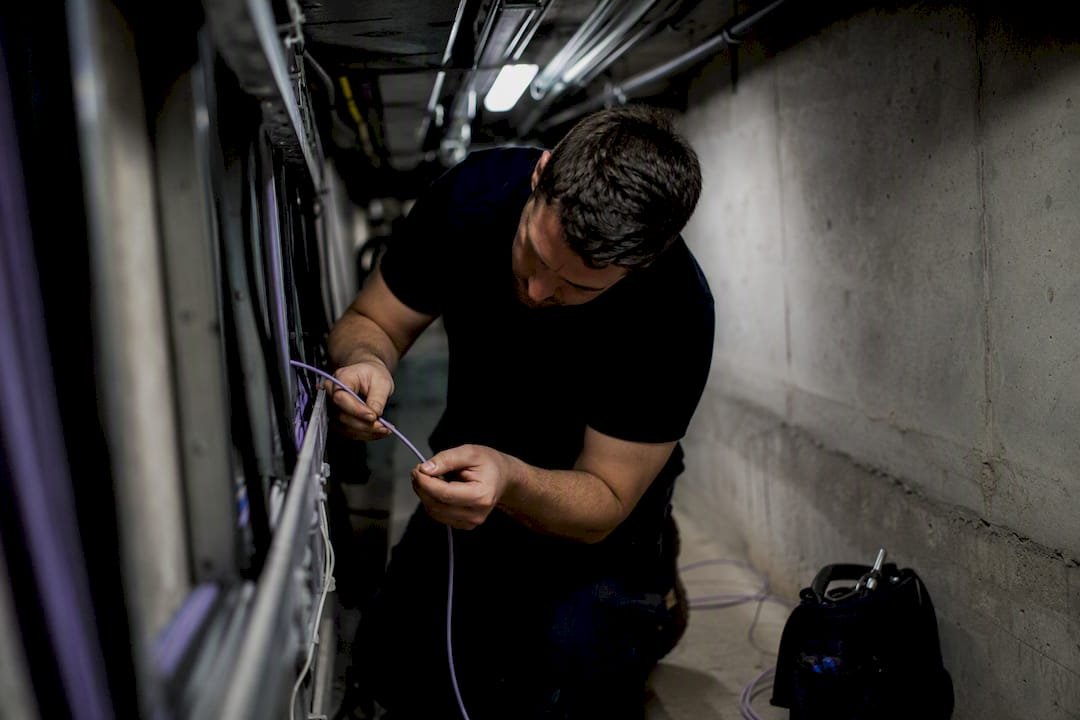
- A technician visits for a pre-installation assessment. This is arguably the most important stage in the entire process. The technician physically inspects the property, confirms the fibre path, and identifies anything that wasn't obvious from a desktop review, blocked conduits, unexpected building materials, or access issues. Any additional costs get communicated at or shortly after this visit, not sprung on you at the final invoice.
- Installation happens. The technician runs fibre to a new NBN connection box inside your premises, typically replacing the old FTTN equipment. This is also the point where decisions about internal wiring get made, whether your existing internal cabling can carry the new connection, or whether new cable needs to be run to your router location.
- Your connection is activated. Your provider switches your service over to the new fibre connection, usually with minimal downtime if everything has gone to plan.
- You check the result. Test your speeds against what you're paying for, and confirm your router or gateway is actually taking full advantage of the new connection. A brand-new FTTP line connected to an old, underpowered router will still feel sluggish.
Most of the friction in this process happens at step 3 and step 4. If your property sails through the design check without flags, you'll barely notice steps 2 and 3 happening at all.
What have other Australians actually paid for a paid FTTP upgrade?
Real numbers help more than averages here, because the range is genuinely wide. Reported Technology Choice quotes for apartment buildings requiring FTTB-style infrastructure work have landed around $10,000 to $11,000, largely driven by the cost of running fibre through shared building infrastructure and coordinating access with body corporates. At the higher end, complex FTTN scenarios involving extensive drilling or difficult terrain have been quoted as high as $28,000.
These are the outliers, not the typical experience. Most standard, eligible upgrades cost nothing beyond the plan itself. But if you're in a multi-dwelling building or a property with genuinely difficult access, it's worth going in expecting a real conversation about cost, not assuming the free path automatically applies.
On the recurring side, plan cost matters just as much as the one-off figure. If your address still requires you to order a higher wholesale speed tier to trigger the free upgrade, budget for the ongoing plan cost, not just the installation. NBN 500 tier plans have historically sat well above entry-level NBN plans on a monthly basis, and that's a cost you'll wear every month, not just once.
A few extra costs worth watching for:
- The $200 recovery fee. If you downgrade your plan or move premises within a defined period (generally 12 months) after receiving a free upgrade, NBN Co can apply a recovery charge to recoup part of the installation cost.
- Plan lock-in. Some providers require a minimum contract term to access upgrade-eligible plans, which affects your total cost even when the installation itself was free.
- Business On‑Demand quote variance. As noted earlier, business quotes can come in higher than residential ones for the same physical work, purely because of added program management costs.
Weigh the plan commitment against your actual usage before jumping at the "free" upgrade. If you don't need NBN 500-tier speeds, ask your provider whether current relaxed eligibility rules mean you can access the upgrade without that plan level.
How long does an FTTP upgrade actually take?
A standard, eligible upgrade typically moves from order to activation within a few weeks, assuming no design complications turn up. That's the timeline for most standalone homes with straightforward access.
Delays tend to cluster around a small set of causes:
- Council approvals for footpath or road work, particularly in older suburbs where fibre needs to cross public infrastructure.
- Body corporate permissions for apartment buildings, which can add weeks if a strata committee needs to formally sign off on cabling through common property.
- Complex drilling or trenching schedules, since specialist contractors doing directional drilling often have limited availability.
- Third-party approvals, such as needing sign-off from a neighbour whose property the fibre path needs to cross.
You can shave real time off this process with a bit of preparation. Clear physical access to your property boundary and existing NBN equipment before the technician arrives. If you're in a strata property, start the body corporate approval conversation the moment you place your order, not after the pre-install visit reveals you need it. And tell your provider upfront about anything unusual, a locked gate, a shared driveway, an elderly resident who needs appointment flexibility, so scheduling accounts for it from the start.
Is upgrading to FTTP actually worth it?
For most households and small businesses currently on FTTN, yes. Fibre to the premises removes the copper segment entirely, which is where most of FTTN's performance inconsistency comes from. Technical analysis consistently points to FTTP's reliability advantage over copper-based connections, particularly for households running multiple devices at once or businesses that depend on stable upload speeds for cloud tools and video calls.
The genuine benefits:
- More consistent speeds regardless of distance from the local node, since fibre doesn't degrade over distance the way copper does.
- Better performance during peak evening hours, when copper-based connections often slow down under network congestion.
- Higher reliable capacity for multiple concurrent users, streamers, gamers, and remote workers on video calls at the same time.
- Genuine futureproofing, since fibre supports far higher speed tiers than copper ever could.
The trade-offs worth weighing:
- If your free upgrade requires a higher-speed plan, your monthly cost may rise.
- Installation involves some short-term disruption, typically a few hours of downtime and a technician visit.
- Occasionally, internal wiring needs attention, which can mean a small additional cost if your existing setup can't carry the new connection cleanly.
The upgrade tends to matter most for remote workers who can't afford dropped video calls, families running several streaming services and school devices simultaneously, competitive gamers who feel every millisecond of instability, and small businesses relying on upload-heavy tools like cloud backups or VoIP phone systems. If your household barely uses the internet beyond email and the occasional show, the upgrade is still a nice-to-have, just a less urgent one.
Getting your home ready before the FTTP technician arrives
A little preparation goes a long way toward keeping your upgrade in the "free and easy" category rather than the "unexpected complications" one.
- Clear access to your current NBN box and likely cable path. Technicians need to see the route clearly, and blocked access is one of the easiest ways to trigger a second visit.
- Note your current connection type and box location. Having this ready speeds up the pre-install assessment considerably.
- Check body corporate rules early if you're in a shared building, well before the scheduled visit.
- Photograph your existing internal cable routing. This helps if you need to discuss whether new internal cabling is required.
Most homes with straightforward, recent internal wiring won't need anything extra. Older homes, or homes where the router sits far from where the new NBN box will land, sometimes need new internal cable runs or a repositioned gateway to get full value from the upgrade.
While you're at it, think about your router. A brand-new fibre connection paired with an ageing router is a bit like putting premium fuel in a car with a clogged filter, the upgrade won't show its full benefit. If your current gateway is several years old, it's worth reviewing your Wi‑Fi setup alongside the NBN upgrade rather than after the fact.
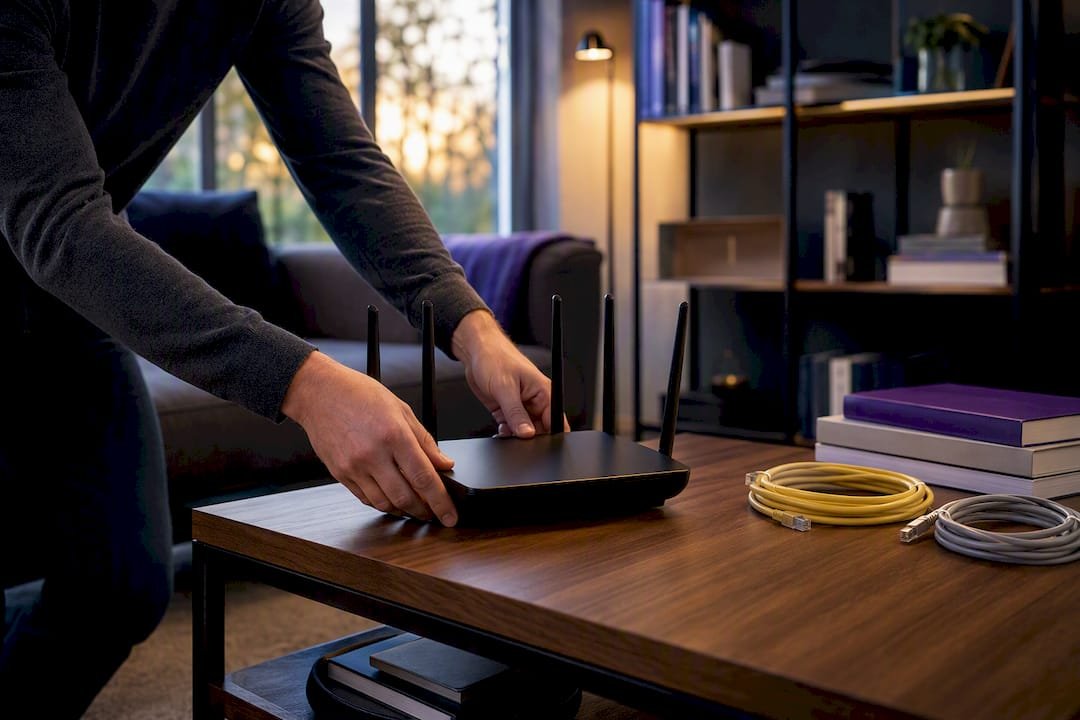
Pro Tip: If your property has anything unusual, a converted garage, a granny flat, a large block with the router far from the street, book a professional site assessment before your NBN order goes in. It's far cheaper to plan cable routing once than to pay for a second visit after the technician discovers a problem.
Common pitfalls technicians find during a paid FTTP upgrade
Pre-install visits turn up the same handful of surprises again and again, and most of them are the reason a "should be simple" upgrade ends up with a much bigger price tag than expected.
Blocked or degraded existing conduits are probably the most common issue. A property might technically have a pathway for cable already in place, but if that conduit has collapsed, filled with debris, or was never actually usable, the fibre run needs new pathway work that wasn't in the original estimate. Old pit access is another regular one, particularly in older suburbs where shared pits haven't been maintained and need clearing before fibre can run through them. Multi-dwelling properties throw up their own recurring surprise: access arrangements that looked fine on paper (a shared driveway, a common area cable run) turn out to need formal body corporate sign-off that nobody flagged before the technician turned up.
The good news is that experienced technicians have workarounds for a lot of this. Alternative routing through a different pit or verge access point can sometimes avoid an expensive drilling job entirely. Staging the work, doing the accessible parts of a project first and scheduling the harder sections separately, can spread cost rather than delivering one enormous invoice. None of this happens automatically. It happens when someone actually looks at your property before you sign off on a quote, not after.
If you've been handed a large paid quote and it doesn't feel right, get a second, independent look at your property before accepting it. A fresh set of eyes on the same access points sometimes finds a cheaper path the first assessment missed.
Book a pre-upgrade assessment before you commit to a big quote
We are the local alternative to guessing your way through a paid FTTP quote. Instead of accepting whatever number a desktop assessment produces, we send a technician to your property in person, check your existing conduits, cable routing, and access points, and flag cheaper alternatives before you sign anything with your provider.

Beyond the pre-upgrade check, we handle the parts of the upgrade journey that come after activation. That includes internal cabling if your existing wiring can't carry the new connection cleanly, router and gateway placement so you actually get the speed you're paying for, and full Wi-Fi optimisation across the house or office once fibre is live. For small businesses, our business network and Wi-Fi assessment covers everything from cable planning to making sure upload-heavy tools like VoIP and cloud backups perform the way they should on the new connection.
If you're staring down a Technology Choice quote that feels too high, or you just want your new fibre connection set up properly the first time, book a site assessment with our business IT support team or reach out through our computer support service if you're a homeowner. We'll look at your property before you spend a single dollar you didn't need to.
Sources
Recommended
- Custom PC vs Prebuilt in NSW: What's Better for Gaming, Work or School?
- Custom PC vs Prebuilt in NSW: What's Better for Gaming, Work or School?
- Network Scientist | Wi-Fi & Router Help NSW | PC Scientist
- Same-Day IT Support Near Me | Fast Local Help
Frequently Asked Questions
Straight answers about Most FTTN to FTTP upgrades cost nothing. Here's why yours might not - without jargon or pressure. Call 0493 563 381 for advice, or get help below.
Want the quickest answer? 0493 563 381 for free advice.
For eligible premises, the standard upgrade installation is $0, though you may need to order a qualifying plan. Paid Technology Choice upgrades for complex properties have been reported between roughly $10,000 and $28,000.
Yes, if your address falls within NBN Co's Fibre Connect rollout zone, you can request the upgrade through your retail provider. If it's not currently eligible, you can request a paid quote through the Technology Choice program instead.
Eligibility depends on your location within the current rollout and, in some cases, on ordering a qualifying speed tier. From July 2026, NBN Co relaxed this requirement for FTTC customers, expanding who can access a free upgrade.
For most households and small businesses, yes, since fibre removes copper-related performance inconsistency and handles multiple concurrent users far better. It matters most for remote workers, streaming-heavy households, and businesses needing stable upload speeds, and PC Scientist can help you assess whether your specific setup will benefit.
Wi-Fi help across NSW
Want to talk through FTTN to FTTP upgrade cost?
If the steps above did not get Wi-Fi behaving, that is okay. Get help in your area and we will take it from here.
Start here
Get Wi-Fi help
Optional Need a Sydney city or region?
Choose a side of Sydney
These are Sydney cities and regions, such as the Northern Beaches or Inner West. First tap a side of Sydney. Then open the city or region that covers you.
C Sydney City / Inner 3 areas
N Northern Sydney 6 areas
NW North-West / Central Sydney 3 areas
W Western Sydney 1 area
SW South-West Sydney 3 areas
S Southern Sydney 2 areas
Optional Find your suburb
Type a suburb from our listed coverage. This opens the matching city or region page for this topic. Listed suburb pages are general technology services, not this specialist page.
If your suburb is not listed, use the city or region list above, or call 0493 563 381.
Disclaimer
The information in this article is provided for general educational and informational purposes only. While PC Scientist strives to keep all content accurate and up to date, technology issues can vary depending on your device, software, network configuration, and individual circumstances. Always back up important data before attempting repairs or system changes. If you are unsure or the issue cannot be resolved safely, contact PC Scientist today for professional onsite or remote IT support. PC Scientist is not liable for any loss of data, damage, or other issues resulting from the use of the information provided in this article.
