

SSD Data Recovery: TRIM Can Wipe Deleted Data Within Minutes
Yes, SSD data recovery is often possible, but the odds depend on whether TRIM or garbage collection has run on the deleted blocks, whether the failure is logical or physical, and how much the drive has been used since the data went missing. If any of those have moved against you, the window closes fast. The safest first move is to stop using the drive and get a professional diagnosis before anything is overwritten.
Key takeaways
- TRIM and garbage collection can erase deleted blocks within minutes, and research finds large files often practically unrecoverable after TRIM runs on compatible systems.
- Logical deletion offers the best chance when TRIM has not run; firmware errors and physical damage need laboratory work, while chip damage lowers recovery prospects.
- Stop using and power down the drive; avoid repeated recovery scans, formatting, initialization, and operating system reinstallations, which can overwrite the files.
- Only image the drive with a genuine write blocker and proper tools; otherwise, seek a diagnosis and written quote before approving professional work.
Table of Contents
- How SSD internals change your recovery chances
- Types of SSD failure and what each means for recovery
- What to do right now to protect your data
- What professional recovery labs actually do
- Typical costs and timelines for SSD data recovery
- Our experience with SSD recovery and when to reach out
- Weighing a DIY attempt against calling in a professional
- Getting your SSD assessed without the guesswork
- FAQ
- Sources
- Selected research and technical papers that back this article
How SSD internals change your recovery chances
Hard drives store data on magnetic platters that hold a deleted file's content until something writes over it. SSDs work differently, and that difference is the whole story.
TRIM is a command the operating system sends to the SSD telling it which blocks hold deleted data and can be wiped in the background. Once TRIM runs on a block, the SSD's controller can sanitise it within minutes, long before you have decided to call anyone for help. Garbage collection and wear levelling run on top of that: they are ongoing internal housekeeping routines that consolidate, move and erase data to keep the drive fast and even out wear across memory cells. None of this happens on a schedule you can predict from the outside, because every manufacturer tunes these routines differently.
That unpredictability is why two identical-looking SSD failures can have completely different outcomes. The controller and firmware design decide what happens to a deleted block, and that logic is proprietary to each maker.
- TRIM tells the SSD which deleted blocks are safe to erase.
- Garbage collection reclaims and rewrites those blocks in the background.
- Wear levelling spreads data across cells, which can relocate the very sectors you need.
A forensic analysis of TRIM-enabled drives found that only a fraction of blocks may be recoverable, depending on the controller and manufacturer, a sharp contrast to the near-complete recovery typically possible on traditional hard drives.
Types of SSD failure and what each means for recovery
Not every "dead" SSD is actually dead, and the symptom you are seeing points to a different recovery story.
- Logical deletion or accidental format: this gives the best odds, especially if TRIM has not yet run or the operating system is not TRIM-aware. Imaging the drive quickly, before any further writes, meaningfully improves the outcome.
- Firmware corruption or controller errors: the drive may be detected but refuse to mount properly. This usually needs firmware reconstruction or controller-level work that only a lab can perform safely.
- Physical damage to NAND chips, the PCB or power components: this can call for chip-off extraction or a donor controller, and success varies depending on how badly the memory itself is affected.
- A drive that will not power on at all: diagnosis matters here more than anywhere else. Some power faults are straightforward to repair, but if the NAND itself has failed, full recovery becomes far less likely.
Knowing which category you are in will not fix the drive, but it tells you what kind of help to look for and roughly what to expect from it.
What to do right now to protect your data
Acting quickly matters more for an SSD than it ever did for a hard drive, because background sanitising processes do not wait for you to make a decision.
- Stop using the drive immediately and power down the host device.
- Write down exactly what happened: error messages, when you noticed the problem, and anything you tried before realising something was wrong.
- If it is safe to do so, remove the drive from the device rather than leaving it running or being scanned repeatedly.
- If you genuinely have a write blocker and imaging tools and know how to use them, take a read-only image before doing anything else. If you are not confident with that, leave the imaging to a professional.
- Call a lab straight away if the data is business-critical, if you suspect hardware damage, or if the drive will not power on at all.
Pro Tip: Never run a second recovery tool on the same drive after the first one fails, each extra scan is another chance to write over the data you are trying to save.
What you must avoid is just as important: do not run disk-wiping utilities, do not initialise or quick-format the drive, do not reinstall an operating system onto it, and resist the urge to try several different recovery apps in a row. Each of those actions can write new data onto the exact blocks holding your files.
What professional recovery labs actually do
Once a drive is beyond safe DIY territory, labs have a layered set of techniques depending on what has gone wrong.
- Logical recovery and file carving, used when the file system's data structures are still mostly intact and TRIM has not sanitised the relevant blocks.
- Controller-level work, where specialist tools such as PC-3000 or Atola-style systems rebuild the drive's translation table or repair firmware to re-map valid sectors so the data becomes readable again.
- NAND chip extraction, known as chip-off, where the memory chips are physically removed and read directly. This is invasive, slow and the most expensive option, reserved for severe hardware damage.
- Cases where full recovery is simply not possible, including drives that have undergone secure erase, full TRIM sanitisation, or wear-levelling behaviour that has already overwritten the target data.
Forensic research into SSD behaviour describes these drives as active computing systems in their own right, where wear levelling, garbage collection and TRIM are all vendor specific. That is precisely why predicting a lab's success rate from the outside, before a proper diagnosis, is close to guesswork.
Typical costs and timelines for SSD data recovery
Most reputable labs offer a diagnostic step first, sometimes free and sometimes a paid fixed fee, followed by a quote before any recovery work begins. Many also offer a "no recovery, no fee" model, though the fine print on what counts as a successful recovery varies, so it is worth reading the terms carefully.
- Simple logical recoveries, such as a deleted file or accidental format, sit at the lower end of the price scale and can often be turned around in a few days.
- Firmware repair or controller-level work takes longer and costs more, since it requires specialist tooling and expertise.
- Chip-off recovery is the most time-consuming and expensive route, particularly when a donor controller or matching NAND chips are needed.
An empirical analysis of SSD data retention found that with TRIM enabled under a TRIM-capable operating system, recovering large files is often practically impossible, which is why a written diagnosis and price estimate before you approve any work is worth insisting on every time.
Our experience with SSD recovery and when to reach out
Through our Data Recovery Scientist service, we handle SSD recovery cases alongside everyday hardware repairs and broader onsite and remote IT support, so a failing drive rarely needs to be its own isolated problem.
- We assess whether your situation is logical, firmware-related or physical before recommending any next step.
- We can talk you through safe imaging over a remote session if your drive is still accessible, rather than leaving you to guess.
- If you are dealing with a failing drive on Windows specifically, our guide on how to recover deleted files on Windows covers the groundwork before escalation.
- The same imaging-first principle applies to other media too, as we explain in our guide on recovering a corrupted USB drive.
Booking a diagnostic is the simplest way to find out exactly where your drive stands.
Weighing a on your own attempt against calling in a professional
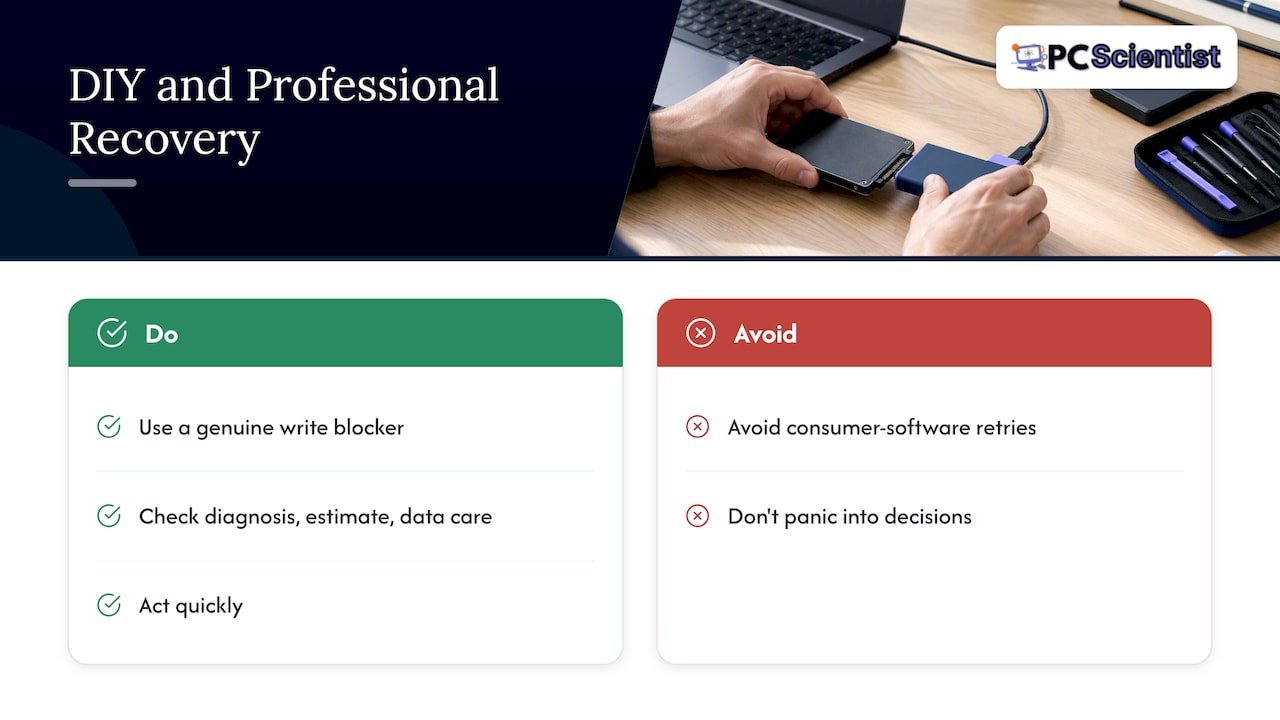
A careful on your own image is worth attempting only if you already have the right tools, a genuine write blocker and the confidence to use them correctly. For most people, that is not the case, and every extra attempt with consumer software is another chance to write over the very sectors you need.
A good provider should be easy to judge: a clear diagnosis, a readable estimate before any work starts, and visible care around how your data is handled afterwards. Act quickly, but do not panic into decisions that make things worse.
- us
Getting your SSD assessed without the guesswork
We know how unsettling it feels when a drive full of photos, invoices or years of work suddenly stops responding. That is exactly why our Data Recovery Scientist service exists: honest diagnostics, upfront pricing, and no pressure to commit before you know what you are dealing with.

- We diagnose logical, firmware and physical SSD failures before recommending a path forward.
- We offer onsite and remote support, so a laptop drive or a desktop SSD gets the same careful handling.
- You can request a quote before any recovery work begins.
If you want a second opinion on whether your SSD can be helped, start with our Data Recovery Scientist page and book a diagnostic. If you would rather check the drive's health yourself first, this guide on checking SSD health walks through the non-invasive steps.
Sources
- A Forensic Analysis And Comparison Of Solid State Drive Data Retention With Trim Enabled File Systems
- 2307.10192 SSD Forensic: Evidence Generation And Forensic Research On Solid State Drives Using Trim Analysis
- doi:10.1016/j.diin.2011.05.013
Selected research and technical papers that back this article
For readers who want the underlying technical detail, the forensic studies linked throughout this article cover TRIM behaviour, garbage collection and empirical SSD data retention testing in far more depth than a single blog post can.
Recommended
- First 60 Seconds: Image First SD Card Recovery That Saves Your Files
- Recover Deleted Files on Windows in Australia, Act Within Minutes
- NAS data recovery: practical steps and when to call a pro
- RAID Data Recovery: Technician Triage, Image Drives in the First Hour
Frequently Asked Questions
Straight answers about SSD Data Recovery: TRIM Can Wipe Deleted Data Within Minutes - without jargon or pressure. Call 0493 563 381 for advice, or get help below.
Want the quickest answer? 0493 563 381 for free advice.
Yes, often, though the outcome depends on why the drive appears dead. A power or controller fault can sometimes be repaired, while severe NAND chip damage lowers the chance of a full recovery considerably.
Costs vary widely depending on the failure type: simple logical recoveries sit at the lower end, while firmware repair or chip-off work costs significantly more due to specialist tooling and time. Getting a written quote after diagnosis is the only reliable way to know your actual cost.
Sometimes, particularly if the issue is a power fault or a controller error rather than damaged memory chips. A proper diagnosis is the only way to tell whether reviving the drive is realistic or whether the data needs to be extracted through other means.
Hard drives are generally easier to recover from because deleted data tends to remain physically in place until overwritten. Empirical testing on TRIM-enabled SSDs found that recovering large deleted files is often practically impossible once TRIM has run, which makes timing far more critical on SSDs.
Data recovery across NSW
Want help recovering data from an SSD?
If files have gone missing, that is okay. Get data recovery help in your area and we will take it from here.
Start here
Get data recovery help
Optional Need a Sydney city or region?
Choose a side of Sydney
These are Sydney cities and regions, such as the Northern Beaches or Inner West. First tap a side of Sydney. Then open the city or region that covers you.
C Sydney City / Inner 3 areas
N Northern Sydney 6 areas
NW North-West / Central Sydney 3 areas
W Western Sydney 1 area
SW South-West Sydney 3 areas
S Southern Sydney 2 areas
Optional Find your suburb
Type a suburb from our listed coverage. This opens the matching city or region page for this topic. Listed suburb pages are general technology services, not this specialist page.
If your suburb is not listed, use the city or region list above, or call 0493 563 381.
Disclaimer
The information in this article is provided for general educational and informational purposes only. While PC Scientist strives to keep all content accurate and up to date, technology issues can vary depending on your device, software, network configuration, and individual circumstances. Always back up important data before attempting repairs or system changes. If you are unsure or the issue cannot be resolved safely, contact PC Scientist today for professional onsite or remote IT support. PC Scientist is not liable for any loss of data, damage, or other issues resulting from the use of the information provided in this article.
