SYDNEY ยท BUSINESS EMAIL

Business email help in Sydney when the inbox stops the day

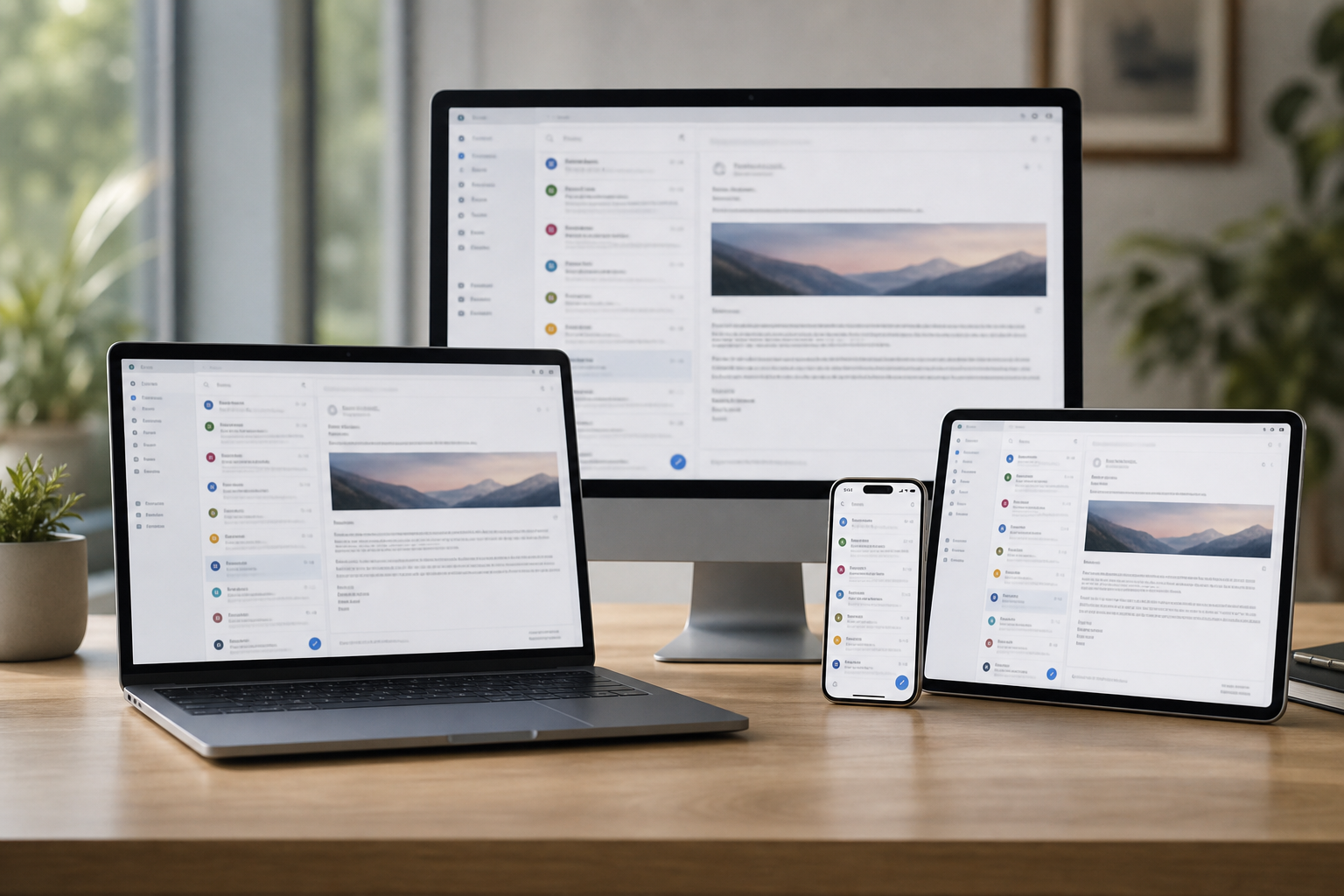
Mail bouncing back from clients. A shared inbox that stopped syncing. Staff phones that lost their email after a password change. In a Sydney office, any one of those can hold up the whole morning. We trace where the mail is getting stuck, fix it, and set things up so it stays fixed.

PC Scientist sorts Sydney business email across Outlook, Microsoft 365, Google Workspace, and phones. Call 0493 563 381 or request a call back.

Book online for eligible visits and get 10% off.

PC Scientist business email and Microsoft 365 support across Sydney
Sydney business email - shared client inboxes that send and receive again.

Why Sydney offices call when email breaks

No Fix, No Fee

  • Limits named early, so small offices and shopfronts never pay for guesswork.
  • Repair or replace talked through in Sydney before any money changes hands.

Clear Upfront Pricing

  • You say yes to the number first, so shopfronts and clinics across the suburbs never get bill shock.
  • The business email price is agreed before anything starts in Sydney.

Speak to a Real Person

  • A local voice who can say whether a shared inbox the team cannot open needs a visit or a remote session.
  • Call 0493 563 381 and talk to someone who knows Sydney, not a script.

Fixed Properly First Time

  • We look for the cause of customer email landing in junk, not a patch that fails next week.
  • The fix is tested before we call it done in Sydney.

Several Issues, One Visit

  • Bring the small annoyances along with the main business email problem.
  • Less disruption for workshops and warehouses in the west when the whole pile is handled together.

Your Data Treated Carefully

  • Client records and business files handled with care through the business email work.
  • Backups checked for shopfronts and clinics across the suburbs before anything risky happens.

Is the Sydney email fault a shared mailbox, a bouncing domain address, or phones out of sync?

From CBD suites to suburban offices, PC Scientist treats email as the job. We fix profiles and sync without burying you in server talk.

Business email jobs across Sydney

  • Shared inboxes that stall mid-morning in Sydney.
  • Outlook offline while Sydney invoices wait.
  • Staff phones out of sync with the Sydney desktop.
  • Domain email moves for Sydney provider changes.
  • Account edits only after Sydney approval.

How to contact PC Scientist

  1. Call for Free Advice - Call 0493 563 381 before trying another restart on a domain moved and the mail went with it, and we talk through the options
  2. Request a Call Back - Tell us roughly what a shared inbox the team cannot open is doing, and we call when it suits you to chat
  3. Request a Free Quote - Get the price for a shared inbox the team cannot open in writing before you decide, with no obligation

Any one of these works. Most calls from Sydney start with a quick chat about Outlook asking for the password on a loop.

What happens after you get in touch

  • Same-day timing for Sydney is often possible when the calendar allows; we are honest when it does not.
  • Support for Sydney can be onsite, remote over the internet, or a mix, depending on access, urgency, and what the issue actually needs across Sydney.
  • In Sydney you hear practical options next, with clear pricing before work starts, and nothing goes ahead until you are comfortable.

Where we visit across Sydney

Work email across Sydney is Outlook, Microsoft 365, and phones that stopped syncing. Chatswood and Bondi Junction inboxes, Sydney shared mailboxes, Parramatta owner laptops.

Looking for a specific service?

Need a different type of help than the examples above for Sydney? Browse specialist technology categories for Sydney - each card is a starting point on this page. Or call 0493 563 381 for free advice across Sydney.

Want help with the Outlook that will not send and the computer on a black screen around Sydney? If the computer on a black screen and phone that will not join the house Wi-Fi are in the same Sydney pile, say so. One conversation can cover the lot. Especially relevant for Sydney homes and small offices.
Call For Free Advice

Get in touch

Leave your message and we'll get back to you shortly.

Attachments

Allowed file types: jpg, jpeg, png, gif, pdf, doc, docx, xls, xlsx, odt, ppt, pptx, pps, ppsx, html, and less than 100 MB.

No file chosen

This form uses spam checks and sends your request directly to PC Scientist.

Start here

Invoices stuck in outbox, a starter who cannot get mail, a shared inbox on one PC. Home mailboxes start on email support.

What this covers

  1. 01
  2. 02
  3. 03
  4. 04
  5. 05
  1. 01Start

    Mail that stops trade

    Invoices stuck in outbox, or a starter who cannot get mail.

  2. 02

    Microsoft 365 and shared inboxes

    Microsoft 365, shared inboxes, and phones in sync.

  3. 03

    New staff devices

    New staff devices without breaking the old one.

  4. 04

    Password loops

    Password and two-factor loops explained calmly.

  5. 05

    A bad message landed

    A suspicious work email - checks before more damage.

Visit

How it works

  1. 1

    Which accounts

    Who, which app, and whether send or receive failed.

  2. 2

    Fix in order

    So we do not lock the whole team out.

  3. 3

    Mail moving

    Notes so the same break is less likely next week.

Book business email and Microsoft 365 help on the Sydney Call 0493 563 381, request a call back, or ask for a quote.
Call 0493 563 381
shape
image
Frequently asked questions about Sydney technology services
FAQ

Straight answers for Sydney

Yes - shopfronts and clinics across the suburbs are part of the usual visit area, along with Bankstown. If you are further out, ask and we will tell you honestly what is possible.

If customer email landing in junk is the main worry, say so on the call so we bring the right gear.

Some problems can be looked at over a screen share first. If that does not settle it, we book a visit in Sydney.

Remote sessions suit small offices and shopfronts who want the fix without clearing a morning.

We treat adding a new staff mailbox as seriously as a bigger repair - it is still something stopping your day in Sydney.

We can show you the steps for adding a new staff mailbox if you would like to handle it yourself next time.

Small offices and shopfronts in Sydney are the core of it - usually a handful of people and no dedicated IT person.

If the owner also works from home, the home office can be covered in the same arrangement.

shape
shape
Need help now? Not sure what to click or what to do next?

Call PC Scientist for free advice, calm and practical IT help