Inner West mix
- One tablet doing two jobs.
- A TV in the same room as dinner.
- Phones on mobile data after pickup.
- A shared family laptop.
- Price before we start.

PC Scientist · Inner West · Parental controls
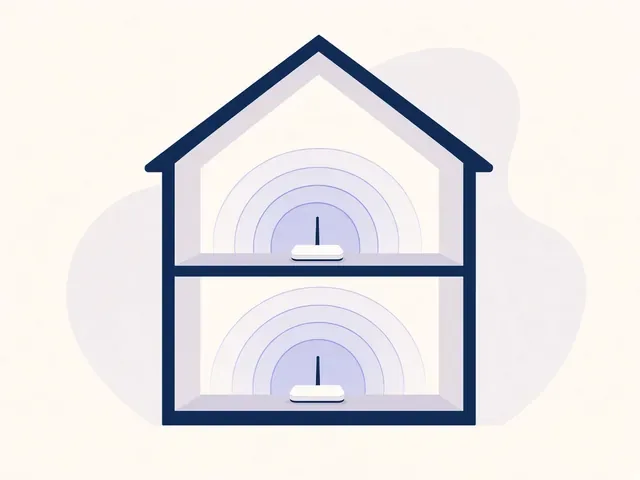
A terrace, one living room, homework and a stream on the same connection. Your tablet is school until 4, then it is something else. Inner West houses do not have a spare study for a tidy setup. The settings have to live where the people live.
We set the router you already have, the tablet, the phones, and the TV that sits a metre away. Call 0493 563 381, or book an eligible visit.
Book online for eligible visits and get 10% off.
Let us help you today


We accept payments


Real Google reviews
Word for word, from people we have visited.
Parental controls · Inner West
Usually yes. We set hours that still let school work through, then a harder stop when the day is meant to be over.
Newtown, Marrickville, Leichhardt, Balmain, and the rest of the Inner West.
Why Parental Control Scientist
When you are ready. Call, or book a technician.
0493 563 381Start here
This page fits scares on shared or personal devices. If a computer is just slow and nobody has had a scare, computer support is the simpler choice.
School hours and evening hours, where the tools allow it.
Baseline on the terrace router.
Screen Time or Family Link.
A profile that matches the kids in the room.
PINs you can change without a second visit.
What we help with
Computers, Wi-Fi, email, printers, and new devices. View all services.
 Computer Repair Scientist
Slow or crashing PCs, repairs and upgrades.
Computer Repair Scientist
Slow or crashing PCs, repairs and upgrades.
 Computer Support Scientist
Devices that will not connect, like PC to printer.
Computer Support Scientist
Devices that will not connect, like PC to printer.
 Network Scientist
Wi-Fi, mesh, NBN and dead zones.
Network Scientist
Wi-Fi, mesh, NBN and dead zones.
 Parental Control Scientist
Safer screens at home.
Parental Control Scientist
Safer screens at home. Security Camera Scientist
Planned, installed, on your phone.
Security Camera Scientist
Planned, installed, on your phone.
 Email Systems Scientist
Microsoft 365, Gmail and domains.
Email Systems Scientist
Microsoft 365, Gmail and domains.
 Data Recovery Scientist
Lost files, failing drives, backups.
Data Recovery Scientist
Lost files, failing drives, backups.
 Device Setup Scientist
New devices, plus printer fixes.
Device Setup Scientist
New devices, plus printer fixes.
 Custom PC Build Scientist
Gaming and performance PCs.
Custom PC Build Scientist
Gaming and performance PCs.
 Web Design Scientist
Small business websites.
Web Design Scientist
Small business websites.
 Business IT and projects
Offices, shops, tradies and projects.
Business IT and projects
Offices, shops, tradies and projects.
 Procurement Scientist
Sourced, delivered and set up.
Procurement Scientist
Sourced, delivered and set up.
Not sure which one? Tell us what you are seeing.
0493 563 381The visit
The device involved, who uses it, and which accounts are shared.
That laptop or phone gets cleaned before the network is tightened.
Router, guest access and each person's sign-ins set up more safely.
How it works
Cybersecurity help visits start the same way: tell us what you are seeing, then pick book, call, or a written quote.
Book online, call for free advice, , or .
In the booking, on the call, or in the quote. Same idea.
We agree the visit on the call, in the booking, or in the quote. Agree, and that date stays yours.
That's the visit. We work through your list on the day.
If this is not the job
Want the longer guide? Cybersecurity Scientist.
Areas we cover
Can't find your area? Call us to check on 0493 563 381.
 Inner West30
Services
Can't find your area?
Call us to check. We will tell you if we visit, or if remote help is the better fit.
FAQ
Often yes, with downtime and app limits. We will say if that iPad's profile cannot split the day.
Yes. Microsoft Family Safety can sit on that Windows box so homework and games are not the same account.
Usually no. Family DNS and schedules work on most current routers. We only talk hardware if yours cannot hold a schedule.
Yes. Call 0493 563 381.
When you are ready