

Repair or replace your laptop: how to decide
Repair your laptop when the quoted cost sits below a material fraction under half the cost of a comparable new model, the machine is relatively new, generally under around four years old, and the fault is isolated to one component. Once repair costs creep past that threshold, or your laptop is older with a systemic fault like a failing motherboard, replacement almost always wins on value. Age and fault type are the two levers that matter most, and the checklist below turns that rule into a decision you can make in ten minutes.
Key takeaways
- Repair costs under half the price of a new, comparable model and the device is under around four years old justify fixing the laptop.
- For laptops aged two to four years, repair is sensible if the quote is less than 50% of the replacement cost, but stricter thresholds apply to older machines.
- Common repairable faults include battery, screen, SSD, RAM, keyboard, and software issues, which often extend the device's lifespan by several years.
- For faults like motherboard or logic-board failure, multiple issues, or obsolescence, replacing the laptop is usually more cost-effective than repairing.
- Always obtain multiple written quotes, verify parts sourcing, and consider professional diagnostics, especially for motherboard or data recovery issues, before deciding.
Table of Contents
- Repair or replace laptop: the quick decision guide
- Which laptop problems are usually worth repairing?
- Which laptop faults usually mean it's time to replace?
- Repair cost vs replacement cost: three worked examples
- How do you decide between repairing and replacing?
- What a professional diagnostic actually involves
- Why the standard advice on this misses the point
- Book a laptop diagnostic or repair quote
- Sources
- FAQ
Repair or replace laptop: the quick decision guide
Most people overthink this. The maths is simpler than it looks once you know your laptop's age band and have a repair quote in hand.
- 0 to 2 years old: Repair almost always. Parts are current, warranty may still apply, and the device has years of useful life left.
- 2 to 4 years old: Repair if the quote is under a material fraction under half of a new replacement cost. Above that, start comparing.
- 4 to 6 years old: Tighten the threshold. Repair only if costs sit under 25 to 30% of a new equivalent, since ageing components often mean another fault is close behind.
- 6+ years old: Replace in most cases, unless the fix is trivial (a $40 charger, for instance) and you only need the device for light use a little longer.
Before you commit either way, back up your data, get two or three written quotes, and check whether Australian Consumer Law or a manufacturer warranty already covers the fault. That last step alone has saved plenty of people from paying for a repair they never owed a cent for.
Which laptop problems are usually worth repairing?
Some faults are cheap to fix and buy you years of extra service. These are the ones where repair almost always beats replacement, provided the rest of the laptop is healthy.
- Battery replacement: Typically $150 to $250 and instantly restores runtime, often extending usable life by two to three years.
- Screen replacement: Standard LCD panels are the cheaper end of the range; touch and OLED panels cost more and availability can vary by model.
- SSD and RAM upgrades: Often the single best value fix available. Swapping a spinning hard drive for a solid-state drive, or adding RAM, can make a four to five-year-old laptop feel new again for a relatively modest spend.
- Keyboard, charging port, and hinge repairs: Usually in the $150 to $350 range with same-day or next-day turnaround at most independent shops.
- Software issues, malware, or a bloated operating system: Often free or low-cost to resolve and frequently mistaken for hardware failure.
If your laptop just feels sluggish rather than broken, it's worth reading through what to try before assuming the worst, since a clean-up or upgrade often fixes what looks like a dying machine.
Pro Tip: Ask whether the repairer uses genuine or OEM-equivalent parts, especially for screens and batteries. Cheaper aftermarket parts can shorten the very lifespan you're paying to extend.
For anything under manufacturer warranty, an authorised repairer is worth the extra cost. It protects your warranty and guarantees genuine parts, which matters most for batteries and screens where compatibility issues are common.
Which laptop faults usually mean it's time to replace?
Some faults are technically fixable but rarely worth fixing. These are the ones where the smart money goes towards a new machine.
- Motherboard or logic-board failure: Full replacement on a Windows laptop commonly runs $400 to $800 or more, and MacBook logic-board work typically costs more again. On a mid-range laptop, that's frequently over half the price of a new one.
- GPU or CPU failure from heat damage: Component-level repairs are rare, expensive, and often masked by other symptoms until the machine won't boot at all.
- Multiple simultaneous faults: A failing battery plus a cracked screen plus a dying drive isn't three small repairs, it's one expensive one, and each new quote pushes you closer to replacement territory.
- Obsolescence: With Windows 10's end of life was in late 2025, a laptop that can't run a currently supported operating system is a security liability for business use, regardless of how well the hardware runs.
- Data risk or business continuity needs: If downtime costs you money or client trust, a replacement you can set up immediately usually beats a repair with an uncertain turnaround.
Repair cost vs replacement cost: three worked examples
Here's how to do the maths honestly, using common Australian repair cost ranges.
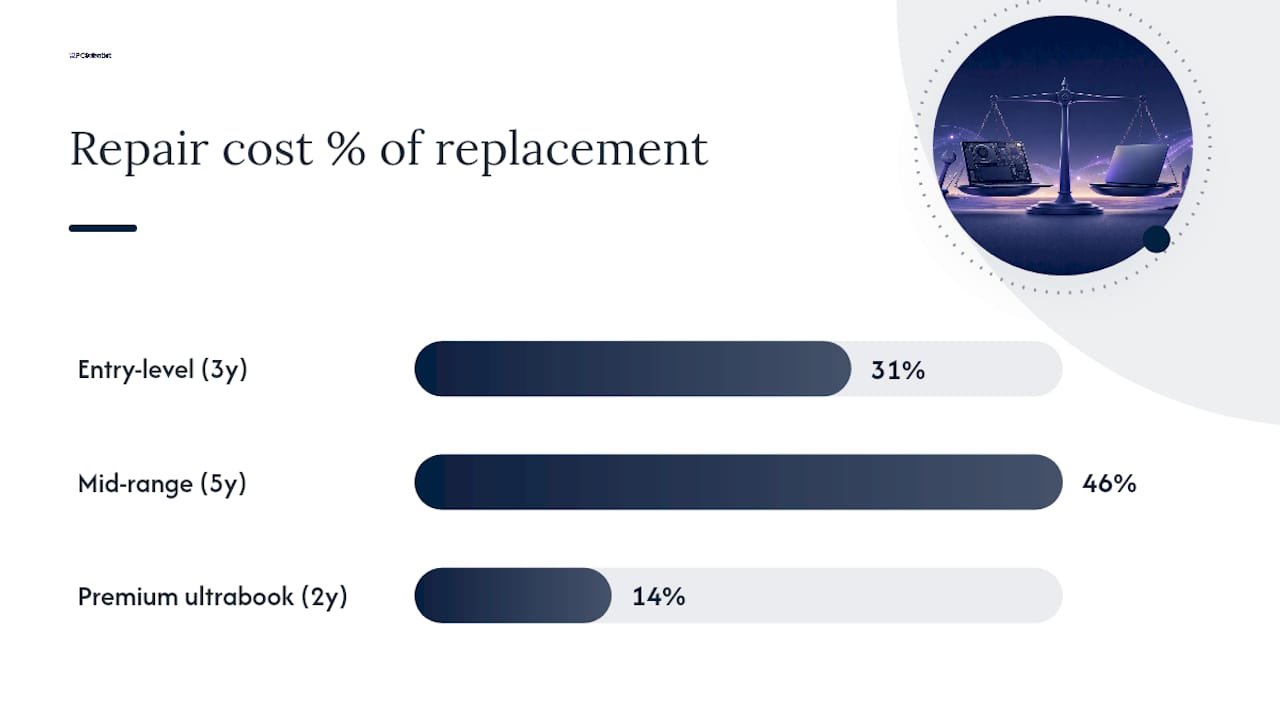
- Entry-level laptop, three years old. New equivalent: $700. Screen repair quote: $220, which is 31% of replacement cost. Repair clears the 40% threshold comfortably.
- Mid-range laptop, five years old. New equivalent: $1,400. Motherboard repair quote: $650, or 46% of replacement cost. On paper, it scrapes under 50%, but at five years old the tighter 25 to 30% threshold for older devices applies, so replacement is the safer call.
- Premium ultrabook, two years old. New equivalent: $2,800. Keyboard and battery repair quote: $380, just 14% of replacement cost. Even against the stricter 30% threshold for premium devices, repair wins easily.
Don't stop at the repair invoice. Factor in data migration, software licences you'd need to re-purchase, and the productivity you lose while waiting on parts or setting up a new machine. A $900 laptop that needs three days of reinstalling software and re-training muscle memory costs more than the sticker price suggests.
If replacement wins, a refurbished or ex-corporate laptop is worth a look before you buy new. You often get a business-grade machine, sometimes still under manufacturer warranty, for 30 to 50% less than retail, which is a smart middle ground for anyone replacing a machine they don't want to overspend on.
How do you decide between repairing and replacing?
Once you've got a rough sense of where your laptop sits against the thresholds above, the actual decision comes down to four practical steps.
- Back up everything first. Note the exact symptoms, your laptop's model and serial number, and photograph any physical damage before you hand it over anywhere.
- Get two or three itemised, written quotes. Compare an authorised repairer against an independent shop. Independent repairers often offer faster turnaround and lower prices, but check for an ABN, a physical address, and a written warranty on parts and labour.
- Ask pointed questions. Where do the replacement parts come from? How long is the warranty? How confident is the technician in the diagnosis, and how long will the job take?
- Watch for red flags. A quote with no itemised breakdown, or a technician who can't explain what's actually failed, is reason enough to get a second opinion, particularly for anything board-level.
Pro Tip: Genuine motherboard faults get confirmed with voltage checks and component-level diagnostics, not guesswork. If a repairer quotes a board replacement without explaining how they tested it, treat that number with caution.
If your laptop won't even power on, it's worth running through basic checks before booking any repair, since some "dead" laptops turn out to be a $15 fix.
What a professional diagnostic actually involves
A proper diagnosis takes the guesswork out of this whole decision, and it's where a lot of DIY assessments go wrong. Component-level testing catches faults that a visual check simply can't.
Professional onsite and remote diagnostics covering hardware repair, data recovery, and device setup help ensure the technician assessing your laptop understands what's fixable and what genuinely isn't.
- Onsite and remote support, so you're not stuck waiting for a courier both ways.
- A written, itemised quote before any work begins, covering parts, labour, and expected turnaround.
- Data recovery expertise for laptops where the drive itself is the concern, not just the visible fault.
- Straight advice on when a board-level fault or business continuity risk makes replacement the smarter move, not just the easier sell.
Choose a professional diagnostic whenever the fault touches the motherboard, when data recovery is involved, or when downtime is costly. Guesswork gets expensive fast at that level.
Why the standard advice on this misses the point
Most guides on this topic hand you a single percentage and call it a day. That's not wrong, exactly, but it skips the part that actually changes outcomes: age and quote quality matter more than the raw number.
The older machine has more failure risk sitting behind whatever fault you're currently quoting for, and that risk rarely shows up on the invoice.
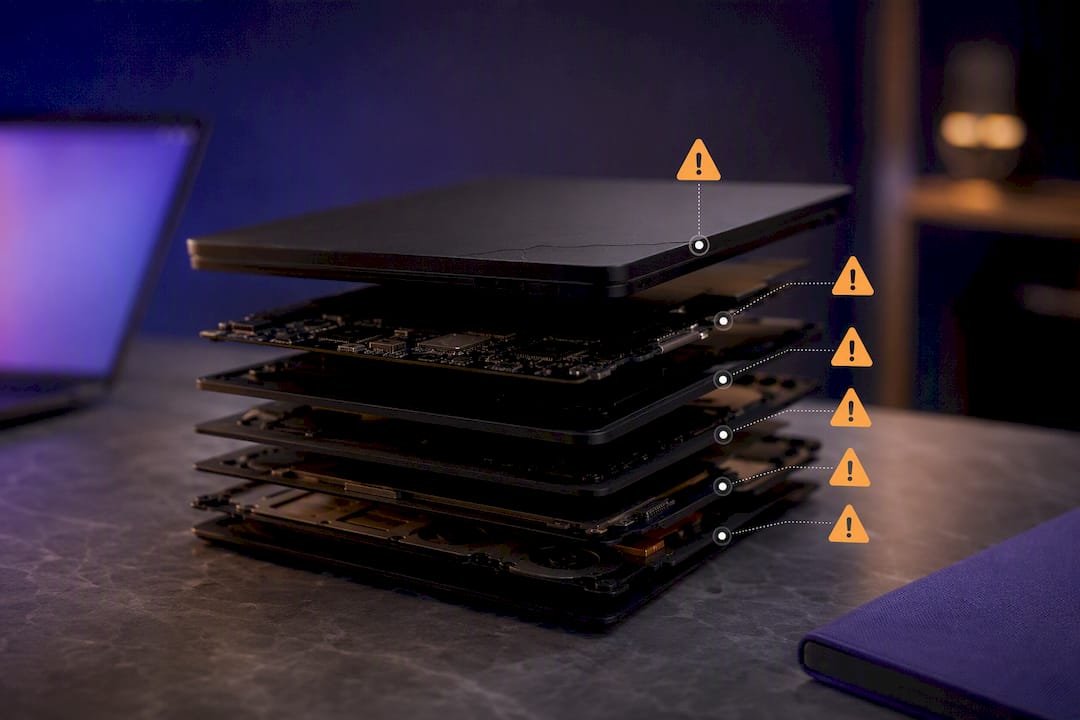
The other gap in conventional advice is treating every quote as equally trustworthy. A board-level repair quoted without proper voltage testing is a guess dressed up as a diagnosis, and plenty of people pay for that guess. Get the diagnosis right first, then apply the percentage rule, not the other way around.
If there's one thing worth prioritising above the thresholds and checklists, it's this: spend the extra day getting a second, properly itemised quote before you commit either way. It costs you nothing but time, and it's the single step most likely to change your decision for the better.
- PC Scientist
Book a laptop diagnostic or repair quote
You have a third option beyond guessing at percentages or booking a repair blind: a proper onsite or remote diagnostic that tells you exactly what's wrong before you spend a cent. Where a big-box retailer might push a new sale and an anonymous online repairer can't put a technician in front of your actual laptop, local technicians can assess the real fault, price it honestly against replacement, and let you decide with facts instead of a sales pitch.

Getting a quote is straightforward. Have your laptop's model and age on hand, note down the symptoms, take a couple of photos if there's visible damage, and let us know whether your data is backed up. From there, our Computer Repair Scientist team can diagnose the fault, provide an itemised written quote, and talk you through repair versus replacement for your specific situation. If replacement turns out to be the better call, our Device Setup Scientist service handles the migration so you're not left doing it yourself. Get in touch today to book a diagnostic and get a straight answer on what your laptop actually needs.
Sources
- Is Laptop Repair Worth It In 2026? | Computer Geeks Australia
- Laptop Repair Cost In Australia (2026 Complete Guide)
- Repair or Replace Your Laptop? A Perth Tech Expert's Guide | BITS Perth
Recommended
Frequently Asked Questions
Straight answers about Decide in 10 minutes: Repair or replace your laptop in Australia - without jargon or pressure. Call 0493 563 381 for advice, or get help below.
Want the quickest answer? 0493 563 381 for free advice.
Yes, when the repair quote sits under 40 to 50% of a comparable new laptop's price and the machine is under four to five years old. Above that threshold, or on an older device, replacement usually delivers better long-term value.
In most cases, yes.
Most laptops offer four to six years of solid use before the cost of keeping them running outweighs the benefit, though battery and SSD upgrades can extend that window noticeably.
It depends on the fault. A battery, SSD, or RAM upgrade is often worthwhile at five years old, but board-level faults or multiple simultaneous issues usually tip the balance towards replacement.
Get a written, itemised quote and compare it against your laptop's age band and a fair replacement price. A professional diagnostic confirms the fault properly before you spend anything.
Computer repair across NSW
Want help deciding between repair and replace?
If the steps above did not get the repair sorted, that is okay. Get help in your area and we will take it from here.
Start here
Get computer repair
Optional Need a Sydney city or region?
Choose a side of Sydney
These are Sydney cities and regions, such as the Northern Beaches or Inner West. First tap a side of Sydney. Then open the city or region that covers you.
C Sydney City / Inner 3 areas
N Northern Sydney 6 areas
NW North-West / Central Sydney 3 areas
W Western Sydney 1 area
SW South-West Sydney 3 areas
S Southern Sydney 2 areas
Optional Find your suburb
Type a suburb from our listed coverage. This opens the matching city or region page for this topic. Listed suburb pages are general technology services, not this specialist page.
If your suburb is not listed, use the city or region list above, or call 0493 563 381.
Disclaimer
The information in this article is provided for general educational and informational purposes only. While PC Scientist strives to keep all content accurate and up to date, technology issues can vary depending on your device, software, network configuration, and individual circumstances. Always back up important data before attempting repairs or system changes. If you are unsure or the issue cannot be resolved safely, contact PC Scientist today for professional onsite or remote IT support. PC Scientist is not liable for any loss of data, damage, or other issues resulting from the use of the information provided in this article.
