FOREST DISTRICT ยท EMAIL SUPPORT

Email support in the Forest District for inboxes that drift apart

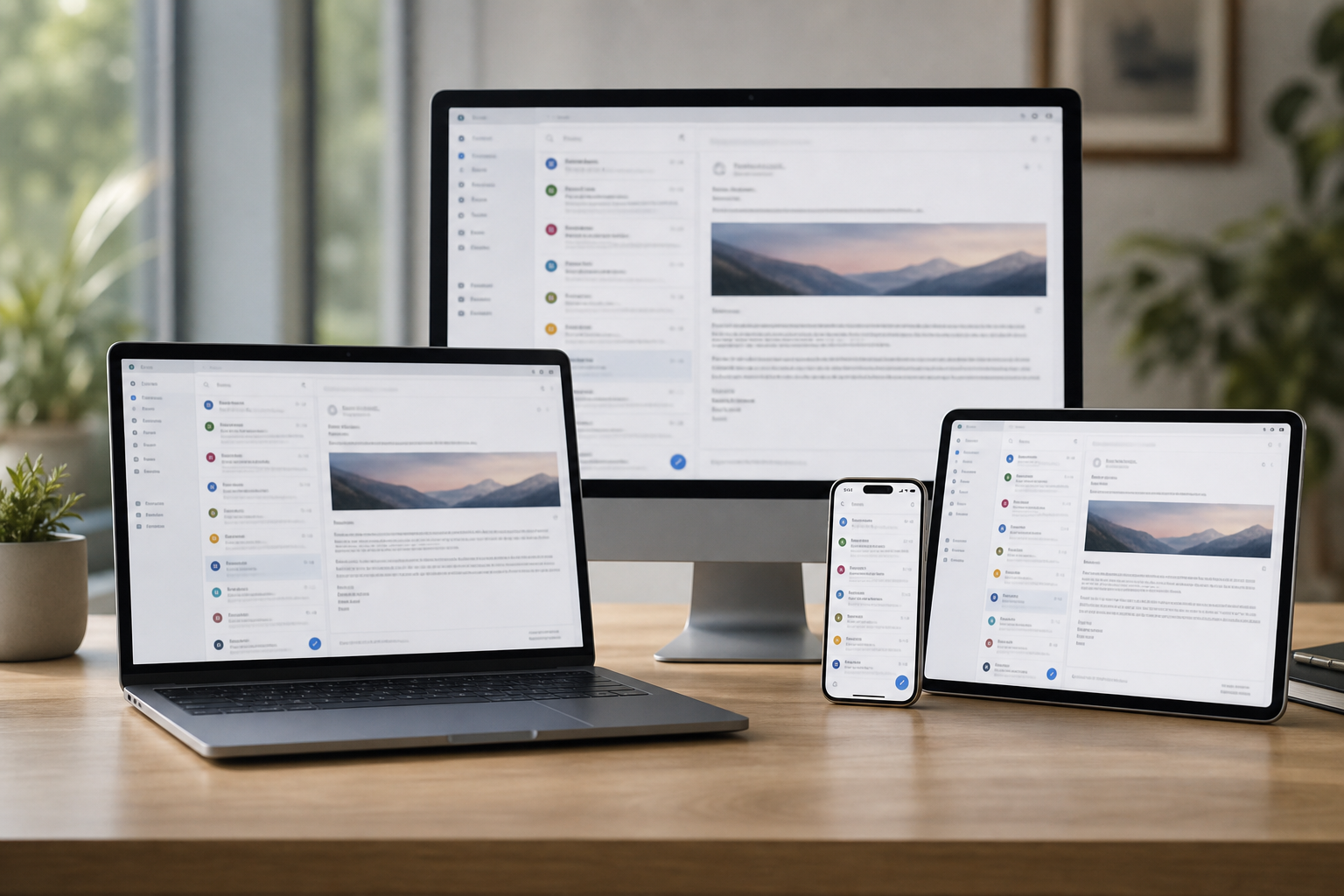
A common Forestville story: messages show up on the phone, vanish from the desktop, and the sent folder only exists on the laptop. It usually traces back to one old account setting that nobody has touched in years.

PC Scientist lines the mailbox up across every device, most often in a single remote session, and visits when the office PC needs hands on it. Call 0493 563 381 or request a call back.

Book online for eligible visits and get 10% off.

Forest District email support - Outlook, sync, and mailbox fixes in plain English.

Why Forest District rings when mail lands on one device only

No Fix, No Fee

  • If a broken email setup cannot be repaired, no repair fee applies for the attempt.
  • Straight talk if the provider is the real problem.

Clear Upfront Pricing

  • The cost of an email fix or provider move explained before we start.
  • Office mailbox work priced as a clear job, not by the minute.

Speak to a Real Person

  • Call 0493 563 381 and read out the error message, word for word or roughly.
  • A real person who knows Outlook, Gmail, and Apple Mail.

Fixed Properly First Time

  • We fix why email stopped syncing, not just restart the app.
  • Settings matched across phone, tablet, and computer so it holds.

Several Issues, One Visit

  • Phone, laptop, and office mailboxes sorted in one session.
  • Shared calendars and contacts tidied while we are in there.

Your Data Treated Carefully

  • Old mail and attachments kept safe during any move.
  • Account passwords handled carefully and never left lying around.

Did Forest District lose the inbox on the PC, hit a password loop, or stop receiving overnight?

Forest District households rely on mail that simply arrives. PC Scientist checks the account, the app, and the provider path so you know the practical next step.

Email support details Forest District brings up first

  • Inboxes that update on the phone and stay frozen on the computer.
  • Outlook password prompts that never finish clearing.
  • Calendars that will not sync across the devices you use.
  • Attachments that bounce from one machine but not another.
  • You approve the work before it starts. The price is clear first.

How to contact PC Scientist

  1. Call for Free Advice - Ring 0493 563 381 and tell us which inbox stopped and on which device, and we say whether it can be fixed remotely
  2. Request a Call Back - Leave your number if you are between meetings, and PC Scientist calls back about the mailbox
  3. Request a Free Quote - Ask for a written outline for an office email move or Microsoft 365 setup, with no obligation

Pick one. Most email calls start with the error message and the device it shows on.

What happens after you get in touch

  • For Forest District, we listen to what you were doing when the problem showed up, in everyday words - not a checklist of buzzwords.
  • In Forest District you hear practical options next, with clear pricing before work starts, and nothing goes ahead until you are comfortable.
  • Symptoms first for Forest District: when it started, what changed, and whether one device or the whole house is affected.

Where we visit in the Forest District

Inbox trouble is the same in the Forest District whether you are in Belrose or Frenchs Forest. Outlook that will not send in Davidson, phones that will not sync in Frenchs Forest, and Microsoft 365 that looped after a password change.

Looking for a specific service?

Need a different type of help than the examples above for Forest District? Browse specialist technology categories for Forest District - each card is a starting point on this page. Or call 0493 563 381 for free advice across Forest District.

Call For Free Advice

Get in touch

Leave your message and we'll get back to you shortly.

Attachments

Allowed file types: jpg, jpeg, png, gif, pdf, doc, docx, xls, xlsx, odt, ppt, pptx, pps, ppsx, html, and less than 100 MB.

No file chosen

This form uses spam checks and sends your request directly to PC Scientist.

Start here

Mail stuck in outbox, empty on the phone, or looping a password. Work mailboxes and shared inboxes also live on business email.

What this covers

  1. 01
  2. 02
  3. 03
  4. 04
  5. 05
  1. 01Start

    When mail stops

    Outbox stuck, empty phone inbox, or a password loop after a change.

  2. 02

    Outlook, Gmail, and phones

    Outlook, Gmail, and everyday ISP mailboxes on computer and phone.

  3. 03

    Setup and shared mail

    A new account, forwarding, or a mailbox that only works on one device.

  4. 04

    Passwords and recovery

    Two-factor recovery explained without pressure.

  5. 05

    Suspicious mail

    A suspicious message or locked account - calm next steps, not a scare.

Visit

How it works

  1. 1

    Which mailbox

    App, device, and whether send, receive, or both failed.

  2. 2

    Change one thing

    Settings in an order that does not lock you out further.

  3. 3

    Leave it sending

    Mail moving again, with notes if you need to repeat a step.

Book email support on the Forest District Call 0493 563 381, request a call back, or ask for a quote.
Call 0493 563 381
shape
image
Frequently asked questions
FAQ

Common questions about Forest District IT help

Outlook, Gmail, Apple Mail, Microsoft 365, Google Workspace, and domain email. Send and receive faults, sync problems, full mailboxes, password loops, and moving providers.

Plenty of calls come from home offices where email works on the phone but not on the laptop.

Many email problems clear remotely. If several devices or a whole office need setting up, a visit is often faster.

We confirm on the phone which suits before booking anything.

Usually a password change, an old account setting, or a mailbox that has filled up. It is common and fixable.

We check the settings on each device so they all agree, then test sending and receiving.

Which email address is affected, who provides it if you know, and which devices show the problem. A photo of the error helps.

If you do not know the provider, that is fine. We can work it out from the address.

shape
shape
Need help now? Not sure what to click or what to do next?

Call PC Scientist for free advice, calm and practical IT help