

Managed IT vs Break-Fix: Which Suits Your NSW Business?
Break-fix means you call a technician when something breaks and pay for that job. Managed IT means you pay a regular fee and the provider looks after your systems before they fail. For most small businesses that rely on computers, email and a network every day, managed support is the safer fit. Break-fix still makes sense for a very small, low-risk setup. The right answer depends on how much a bad day costs you, not on which model sounds more modern.
This guide walks through both models in plain terms, shows where each one wins, and give you a simple way to decide. It is written for NSW owners and office managers who don't have an in-house IT person and don't want to learn the jargon.
Key takeaways
- Break-fix is pay-per-problem. It suits sole traders and tiny offices with few devices and little sensitive data.
- Managed IT is ongoing care: monitoring, updates, backups and security, usually for a predictable fee. It suits teams that lose real money when systems go down.
- The cheaper model is the one that costs you less including downtime. Count lost hours, not just invoices.
- If you hold customer or client information, Australian privacy law expects reasonable steps to protect it, and that is hard to meet with reactive support alone.
- You don't have to pick a side forever. Many businesses start with a one-off assessment, then decide.
Table of Contents
- What break-fix IT support actually is
- What managed IT support actually is
- Managed IT vs break-fix side by side
- The real cost question: what does a bad day cost you?
- Privacy and security: where break-fix gets risky
- Who should choose which
- The in-between options
- Questions to ask before you sign anything
- Our perspective: start with what's wrong, not with a plan
- How to switch from break-fix to a managed approach
- Talk to us about your setup
- FAQ
- Sources
What break-fix IT support actually is
Break-fix is the traditional repair-shop approach. A laptop won't start, the Wi-Fi drops, email stops syncing. You call someone, they diagnose it, fix it, and you pay for the time and parts. Then you don't hear from each other until the next problem.
It has real strengths:
- No commitment. You only pay when you need help.
- Simple to understand. One problem, one job, one invoice.
- Fine for low-stakes setups. A sole trader with one laptop, a phone and cloud email may rarely need more.
The weakness is built into the model. Nobody is watching your systems between calls, so nobody notices the backup that quietly stopped three weeks ago or the software that's months behind on updates. The Australian Cyber Security Centre's small business guide stresses that even a minor cyber incident can have a devastating impact on a small business, and prevention habits like updates and backups are what reduce that risk. Break-fix on its own doesn't include those habits unless you ask for them each time.
There's also a quieter issue: the technician's income comes from the problem. That doesn't make break-fix providers dishonest, and plenty are excellent. It does mean the incentives don't push towards fewer problems.
What managed IT support actually is
Managed IT flips the arrangement. Your provider looks after your devices, network, email and security on an ongoing basis, usually for a regular monthly fee. The aim is fewer surprises.
In practice, a good managed arrangement covers:
- Monitoring of computers, network gear and key services so faults are spotted early.
- Patching and updates applied on a schedule rather than whenever someone remembers.
- Backups that are set up, checked and tested by restoring something.
- Security basics such as multi-factor authentication, email protection and account clean-up when staff come and go.
- Help when you need it, remotely where possible and onsite when it isn't.
- Planning: advice on when to replace ageing gear, what licences you actually need, and what to budget for.
It is a common myth that managed services are only for big companies. Small teams and sole traders are exactly the people who benefit most, because they have the least spare time to deal with a failure and nobody on staff who knows what to check.
Managed IT vs break-fix side by side
| Break-fix | Managed IT | |
|---|---|---|
| How you pay | Per job or visit | Regular fee, often monthly, plus any project work |
| When help happens | After something fails | Before (monitoring, updates) and after |
| Budget certainty | Low: a bad month can be expensive | Higher: the base cost is predictable |
| Security and backups | Only if you ask | Normally built in |
| Who tracks your equipment age and licences | You | Your provider |
| Commitment | None | Often an ongoing agreement, so check the terms |
| Best for | Few devices, low reliance on IT, little sensitive data | Teams that depend on IT daily or hold client data |
Neither column is "good" or "bad". The question is which one matches how your business actually runs.
The real cost question: what does a bad day cost you?
Break-fix looks cheaper because the invoices are smaller and rarer. But the invoice is only part of the cost. When your systems are down you also lose:
- Staff hours spent waiting or working around the fault
- Sales, bookings and jobs you can't process
- Goodwill with customers who couldn't reach you
- Premium rates if the failure happens after hours and needs urgent attention
The Australian Cyber Security Centre and business.gov.au both make the point that dealing with a cyber attack tends to cost far more than preventing one.
Here is a simple way to test your own numbers. Don't treat these as benchmarks, they are placeholders to replace with yours:
- Count the people who can't work when your computers or internet are down.
- Multiply by what an hour of their time is worth to the business, in wages or revenue.
- Estimate how many hours a serious outage typically takes to resolve under your current arrangement, including waiting for a technician.
- Add anything you can't recover: lost files, missed deadlines, a refund to an unhappy customer.
If that total for a single bad day is larger than a few months of a managed plan, the maths usually favours managed. If your answer is "one person, a few hours, nothing lost", break-fix is probably fine.
Privacy and security: where break-fix gets risky
If your business holds personal information about customers, patients, clients or staff, the Privacy Act and the Australian Privacy Principles apply in many cases. APP 11 says an entity must take reasonable steps to protect personal information from misuse, interference, loss and unauthorised access. The OAIC's guide to securing personal information explains what that looks like. Whether a particular business is covered by the Act depends on its size and what it does, so if you're unsure, check with the OAIC or your legal adviser.
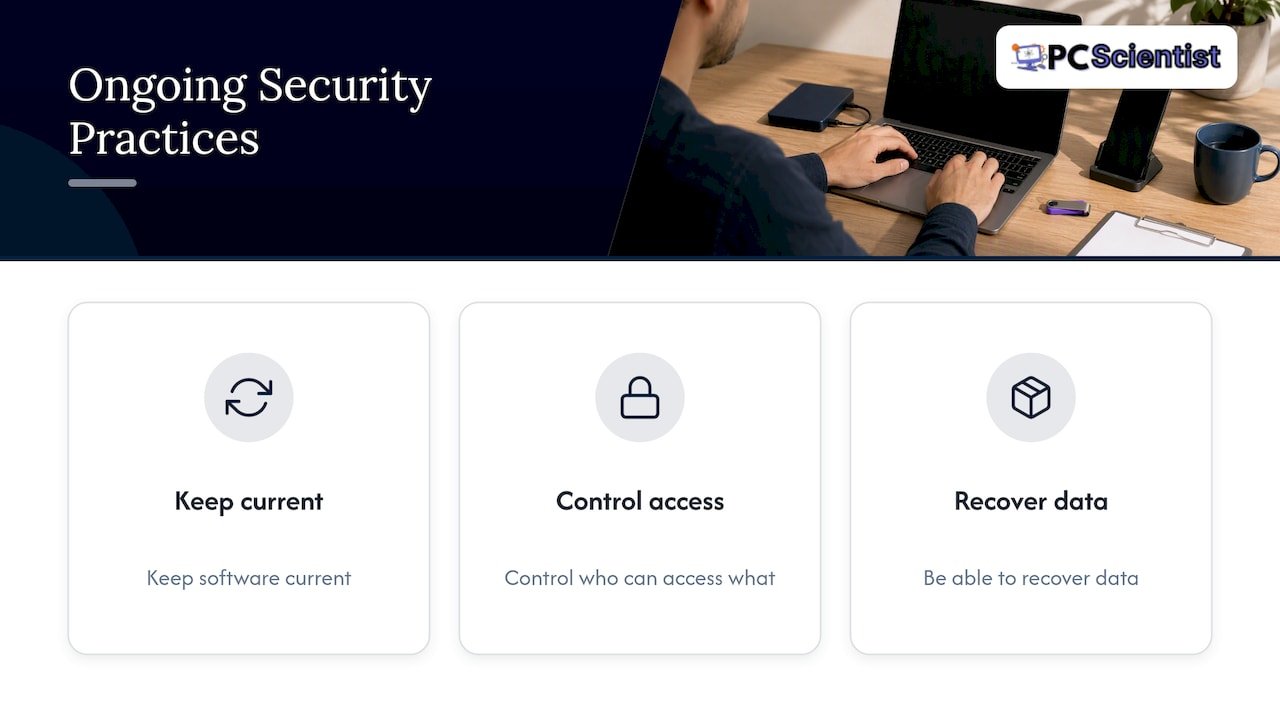
The practical point is this. "Reasonable steps" are ongoing: keeping software current, controlling who can access what, and being able to recover data. A model where nobody looks at your systems until they fail makes those steps easy to miss. Even small habits count. Passwords are a good example, and current guidance on password length and verifier rules shows how much the advice has moved on from forced complexity to longer passphrases.
If a breach does happen, you may also have to notify. Our guide to the OAIC 30-day test for notifiable data breaches explains how that works for NSW businesses.
What the Essential Eight has to do with it
The ACSC's Essential Eight is a set of eight mitigation strategies, including patching, multi-factor authentication and regular backups. The ACSC's Essential Eight maturity model FAQ is the place to read how the maturity levels work. Maturity Level One is aimed at defending against opportunistic attackers using common techniques. You don't need to chase a formal rating, but those same habits are what a managed plan routinely delivers, and what a break-fix relationship tends to skip unless you request them.
If you want a practical starting point either way, our 3-step cyber security checklist for small businesses and the ransomware prevention tasks are things you can act on this week.
Who should choose which
Break-fix tends to suit you if
- You work alone or with one or two others, on a few devices.
- Your work lives mostly in reputable cloud apps, and you rarely hold sensitive client data.
- A day offline is an inconvenience, not a crisis.
- You're happy to handle updates and backups yourself, and you actually do.
Managed IT tends to suit you if
- You have a small team (say, five or more people) sharing a network, printers, email and files.
- You handle client records: accountants, lawyers, medical and allied health practices, real estate offices, consultants.
- You run point-of-sale or booking systems where downtime means lost trade, like cafes, shops and hospitality venues.
- You've already had a scam, a lockout or a data scare.
- You have no one in-house who owns IT, and it falls to whoever is least busy.
Tradies and mobile businesses
Plumbers, electricians, builders, landscapers and cleaners often sit in the middle. You may not need monitoring of a server room, but you do need phones, email, invoicing and job-site connectivity to keep working. A light managed arrangement, or a break-fix relationship with a provider who already knows your setup, usually serves you better than calling a stranger every time something fails.
The in-between options
It isn't strictly one or the other. Here are the arrangements we see businesses actually use:
- Break-fix with a known provider. You still pay per job, but the person helping already knows your setup, so fixes are faster.
- Project plus support. A one-off project, such as a new network, Microsoft 365 migration or backup setup, followed by either ongoing support or pay-as-you-go help.
- Targeted managed services. Ongoing care for only the parts that hurt most, such as email and backups, while everything else stays pay-per-visit.
- Full managed IT. Everything above, under one agreement.
Starting small is perfectly reasonable. The mistake is staying fully reactive after the business has outgrown it.
Questions to ask before you sign anything
Whichever model you choose, these questions separate a provider who's good for you from one who's good at selling:
- What exactly is included? Ask for a list in plain English: monitoring, patching, backups, security, onsite visits.
- What's extra? Hardware, project work and after-hours callouts are often billed separately.
- How long is the agreement, and how do I leave? Look for fair notice terms and ask how you get your data and admin credentials back.
- How quickly will you respond, and how do I reach you? A named contact beats a ticket queue.
- How do you test backups? "We back up" is not the same as "we restored a file last month and it worked".
- Will you tell me when I don't need something? Honest advice on repair versus replace is a good sign.
- Who owns the accounts? Your domain, Microsoft 365 tenancy and passwords should be in your name.
Our perspective: start with what's wrong, not with a plan
Most people who contact us don't know whether they need managed support or a one-off fix, and they shouldn't have to. A café owner whose Wi-Fi keeps dropping, or an accountant whose email has stopped syncing, wants the problem gone first.
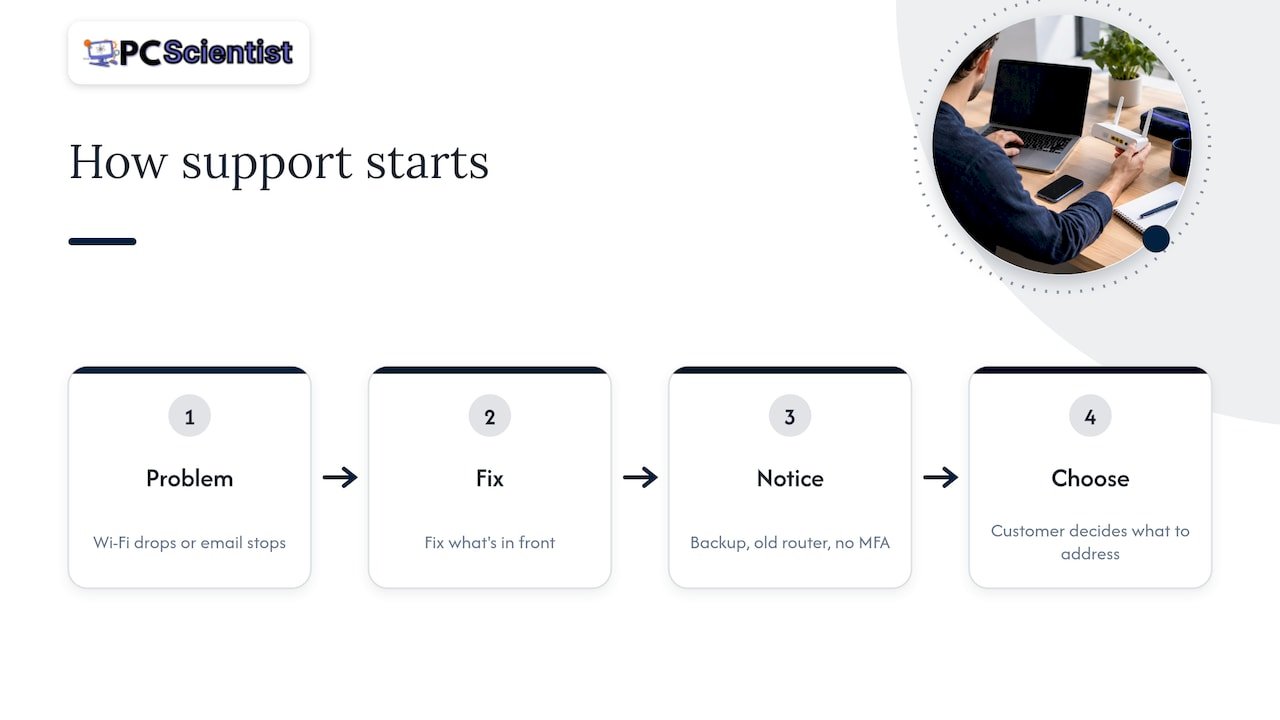
That's how we work. We fix what's in front of you, with clear pricing up front and no fix, no fee on repairs. Then we tell you honestly what we noticed along the way: a backup that isn't running, an old router, an account with no multi-factor authentication. You decide whether any of it is worth acting on.
We think that's the fairest bridge between the two models. Break-fix alone leaves gaps. A plan sold before you trust the provider can feel like a lock-in. Starting with a real job lets you see how we communicate, how we explain things, and whether we respect your time. We can handle multiple devices in a single visit, and we put privacy and security first at every step, because the small habits are what stop the big problems.
If you're a sole trader with a couple of devices, we'll say so when you don't need more than occasional help. If you're a team of ten sharing client files, we'll say that too.
- PC Scientist
How to switch from break-fix to a managed approach
You don't need a big-bang change. A sensible sequence looks like this:
- List what you have. Computers, phones, printers, routers, cloud accounts, who uses what.
- Get a health check. Ask for a plain report on updates, backups, security settings and ageing equipment.
- Fix the urgent items first. Usually backups, multi-factor authentication, and anything unsupported.
- Decide the level of ongoing support. Based on the check, choose full managed care, targeted support, or pay-as-you-go with a provider you trust.
- Review after three months. Is the provider proactive, responsive and clear? If not, change.
If you're in an area we cover, such as the Central Coast, Western Sydney or the Lower North Shore, the local pages explain how onsite visits work for small teams.
Talk to us about your setup
Not sure which model fits? Tell us what's going wrong, or what you're worried might. We'll start with the problem, give you a clear price before work begins, and explain your options without jargon. Our business IT support for NSW covers onsite and remote help for small teams, and Computer Support Scientist is the place to start for everyday issues. If a scare has already happened, our business cybersecurity service is built for the clean-up. You can also begin at pcscientist.com.
Sources
- ACSC Small Business Cyber Security Guide
- 3 ways to protect your business, business.gov.au
- Guide to securing personal information, OAIC
- APP 11: Security of personal information, OAIC
- Essential Eight maturity model FAQ, ACSC
Recommended
- Business IT Support Western Sydney NSW
- Business IT Support Lower North Shore NSW
- Business IT Support Central Coast NSW | Small Teams
- Business IT Support NSW | Onsite & Remote
Frequently Asked Questions
Straight answers about Managed IT vs Break-Fix: Which Suits Your NSW Business? - without jargon or pressure. Call 0493 563 381 for advice, or get help below.
Want the quickest answer? 0493 563 381 for free advice.
On paper, usually yes in a quiet year, because you pay a regular fee whether or not anything breaks. Over a bad year the picture can reverse, once you add downtime, emergency callouts and recovery work. Compare the two using your own cost of a lost day, not just the invoices.
Yes, if you have few devices, little sensitive data and can tolerate some downtime. Make sure you still keep backups running and accounts protected with multi-factor authentication. If your business grows or starts holding client records, revisit the decision.
Not necessarily, but some agreements are. Ask about the term, the notice period, and how you get your data and passwords back if you leave. Any provider worth hiring will answer that clearly before you sign.
The law doesn't name a model. Where the Privacy Act applies to you, it expects reasonable steps to protect personal information, and those steps need to be ongoing. Managed support makes them easier to maintain, but you can also meet them with disciplined in-house habits. If you're unsure whether you're covered, check with the OAIC or a legal adviser.
Business IT help across NSW
Want help choosing managed IT or break-fix?
Need a hand with your office tech? Get local business IT help, plus our statewide business IT page.
Start here
Get business IT help
Optional Need a Sydney city or region?
Choose a side of Sydney
These are Sydney cities and regions, such as the Northern Beaches or Inner West. First tap a side of Sydney. Then open the city or region that covers you.
C Sydney City / Inner 3 areas
N Northern Sydney 6 areas
NW North-West / Central Sydney 3 areas
W Western Sydney 1 area
SW South-West Sydney 3 areas
S Southern Sydney 2 areas
Optional Find your suburb
Type a suburb from our listed coverage. This opens the matching city or region page for this topic. Listed suburb pages are general technology services, not this specialist page.
If your suburb is not listed, use the city or region list above, or call 0493 563 381.
Disclaimer
The information in this article is provided for general educational and informational purposes only. While PC Scientist strives to keep all content accurate and up to date, technology issues can vary depending on your device, software, network configuration, and individual circumstances. Always back up important data before attempting repairs or system changes. If you are unsure or the issue cannot be resolved safely, contact PC Scientist today for professional onsite or remote IT support. PC Scientist is not liable for any loss of data, damage, or other issues resulting from the use of the information provided in this article.
